17 posts · 2008-05-27 21:45:48 to 2008-06-12 11:03:23
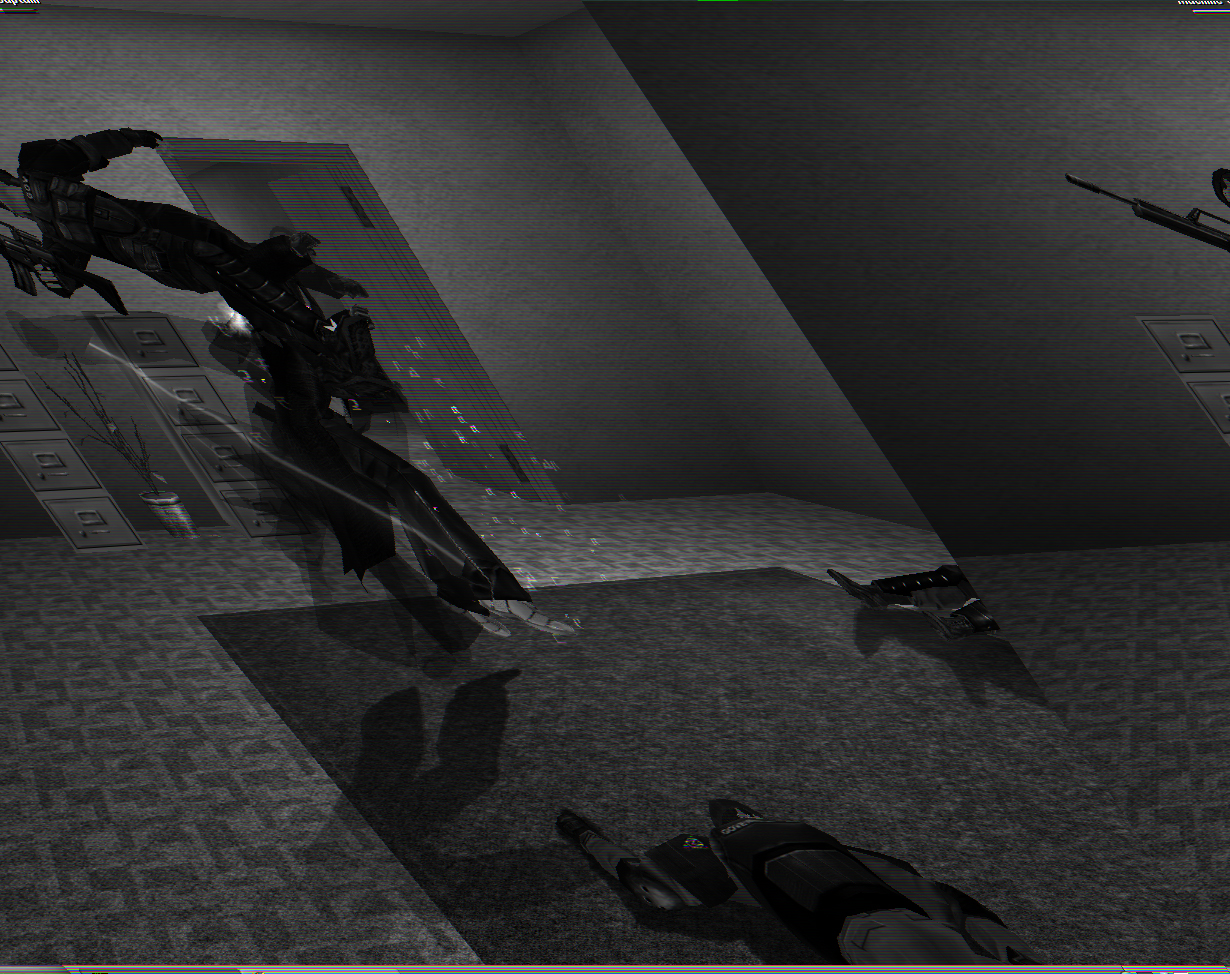
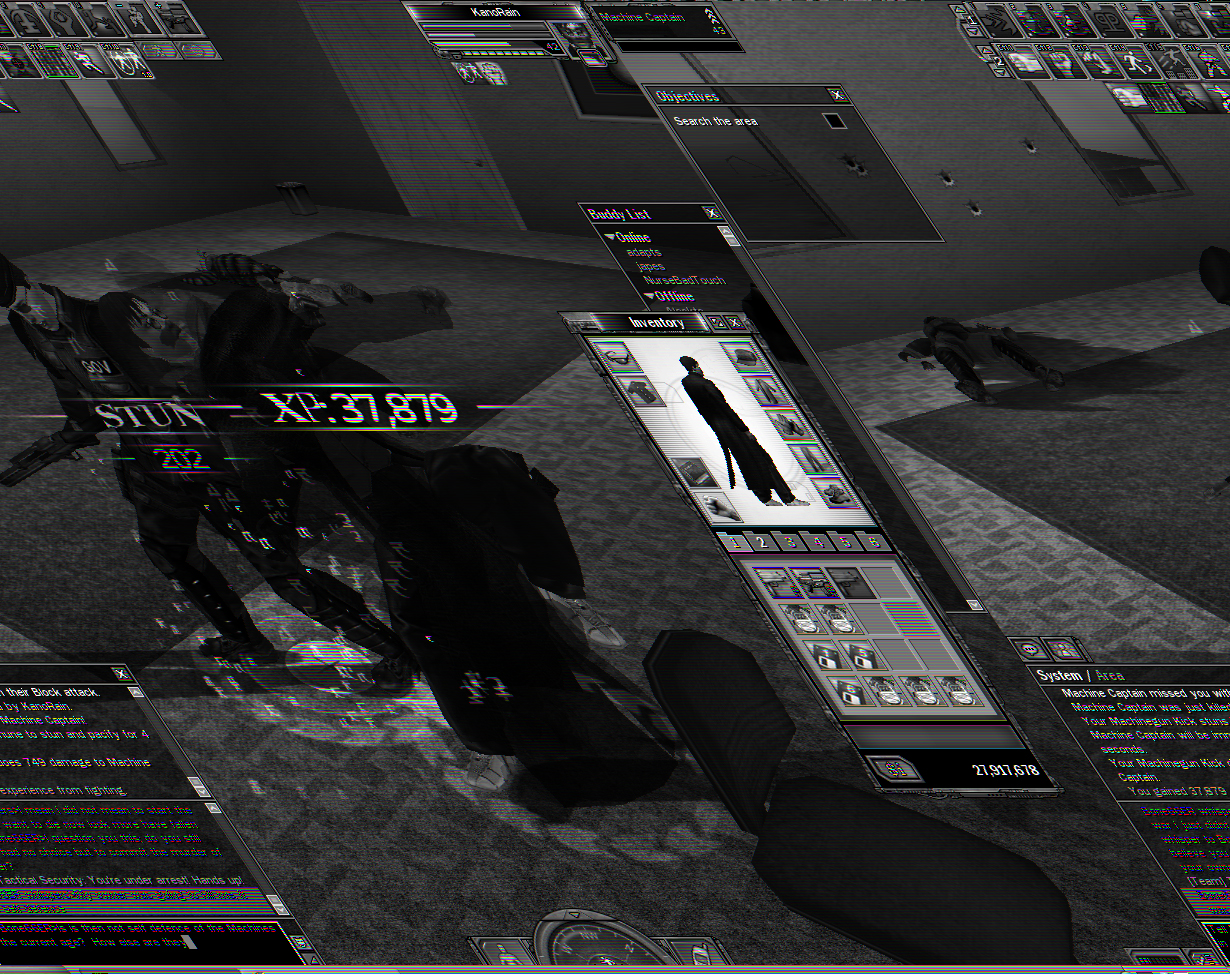
#3630046032305/27/2008 21:45:48Corrupted .BMP Screenshots on XP
8800 GXT for the record, I know there is problems with these cards, dunno if it's card related.
I made a thread here where I was told this was a DirectX buffer problem and a restart would fix it. After a restart and reinstall the same error persist, though only in screenshots - not ingame.
.JPGs save just fine, it's only .BMPs
#3630046032405/27/2008 21:50:13Re:Corrupted .BMP Screenshots on XP
Not sure if it's related or not but... I get the same exact result if I try to take a .bmp screen shot while in windowed mode in XP. (every time) Not a big deal to me really... sometimes it's a good effect.
But knowing that, might help you with solving your Vista problem. Just thought I'd throw it out there.
#3630046032505/27/2008 21:51:16Re:Corrupted .BMP Screenshots on XP
Phluff wrote:
Not sure if it's related or not but... I get the same exact result if I try to take a .bmp screen shot while in windowed mode in XP. (every time) Not a big deal to me really... sometimes it's a good effect.
But knowing that, might help you with solving your Vista problem. Just thought I'd throw it out there. " />
That's the thing, it's looking like a windowed screenshot [showing the task bar at the bottom] but I run in full screen mode! Also, XP, not Vista
#3630046032705/27/2008 21:56:26Re:Corrupted .BMP Screenshots on XP
KanoR wrote:
Phluff wrote:
Not sure if it's related or not but... I get the same exact result if I try to take a .bmp screen shot while in windowed mode in XP. (every time) Not a big deal to me really... sometimes it's a good effect.
But knowing that, might help you with solving your Vista problem. Just thought I'd throw it out there. ">
That's the thing, it's looking like a windowed screenshot [showing the task bar at the bottom] but I run in full screen mode! Also, XP, not Vista " width="15" height="15" />
Ooops... dunno why I thought it was Vista... it's late. >.>
But yeah... strange. I usually run in windowed mode, not phull screen, so I just make sure and only take .jpg shots, not .bmp. Sorry, dunno if that helps your problem or not.
#3630046034905/28/2008 00:00:10Re:Corrupted .BMP Screenshots on XP
It's the same for me running XP. Same exact corruption, too. You should be able to take .bmp and .jpg screenshots in fullscreen mode, just try to prepare for those .bmp moments.
#3630046257206/02/2008 10:29:55Corrupted .BMP Screenshots on XP
hmm...wow
Confirmed, however, mine don't even want to open.
#3630046260206/02/2008 11:40:37Re:Corrupted .BMP Screenshots on XP
I can confirm that BMP screenshots do not work properly in windowed mode on XP.
#3630046405606/05/2008 11:35:59Re:Corrupted .BMP Screenshots on XP
Weird, to say the least. I'm going to give this a try myself.
#3630046407406/05/2008 12:14:23Re:Corrupted .BMP Screenshots on XP
I don't know if Rarebit is having the same issue (looks like it) but he posting a screen shot that looked like KanoR's.
EDIT:
I just gave it a try (I'm running XP with the game in full screen) and my .bmp shot came out normal... hmm
Try it in windowed?
#3630046408806/05/2008 12:44:33Re:Corrupted .BMP Screenshots on XP
Interesting... just gave it a go in windowed mode and when I go to open the shot it gives me a draw failed error.... soooo ya hmm
#3630046418006/05/2008 15:40:21Corrupted .BMP Screenshots on XP
Okie! I think I got it figured out!
Anything from 800x600 -> 1280x1024 (using standard resolutions) will work. Anything beyond will result in a drawn failed / corruption
Random "I need dinner but I'm too lazy so I'm really really hungry so my brain is thinking random stuff" oddball theory: Some of us have that Windows GDI+ protection update, and it prevents corrupted bmps from showing, where those without it, get it anyways.
#3630046422206/05/2008 17:44:49Re:Corrupted .BMP Screenshots on XP
OMG I totally forgot about the windowed .bmp bug... that thing's been around since launch day.
Well done Tsusai on narrowing it to a size range issue. Chances are there the screenshot code has those few hardcoded resolutions in it... oops but it could be a buffer size issue
#3630046424106/05/2008 18:55:20Re:Corrupted .BMP Screenshots on XP
Hmm. It would be good to pinpoint the reason behind it.
Has anyone confirmed that this problem doesn't exist at all on Vista? If not, I can have someone here take a look at all resolutions through Vista on windowed mode.
#3630046488806/07/2008 05:45:07Re:Corrupted .BMP Screenshots on XP
The angled image looks similar to video when it does not have it's compressor information, perhaps when it saves out the .bmp in windowed mode it's missing that information.
It's not missing too much of it, the determine file-type program which does not take into account file name still thinks it's a .bmp , just a different rez for Windowed and Full Screen.
# file screenshot_32* screenshot_326.bmp: PC bitmap data, Windows 3.x format, 1280 x 800 x24 screenshot_327.bmp: PC bitmap data, Windows 3.x format, 1230 x 750 x24 #
If you need to get at the data you can use an image manipulation program to open it. Unreadable video files can be opened in Virtualdub.
#3630046489506/07/2008 06:03:41Re:Corrupted .BMP Screenshots on XP
I found the following was at the beginning of every working BMP screenshot (Full Screen) BM6à
And the following was at the beginning of every angled BMP screenshot (Windowed) BMÂ (edit: shows as BMA on another platform in vi)
edit: I think the corrupted BMP issue is related to the resizing process. When searching for a solution.. it seems various applications in development using a range of languages are getting the wonkyness issue happening during the resize process. A good search term for this issue is "wonky"
#3630046692306/12/2008 11:03:23Re:Corrupted .BMP Screenshots on XP
Nice bit of info there. I'll see if I can relay these useful bits to someone after a run a few tests myself as well.
Ken C
Customer Support Representative
Sony Online Entertainment
PHONE SUPPORT available Monday through Friday, 10am-7pm PST at (858)537-0898