More Useropts Options

341 posts · 2006-03-02 14:03:09 to 2009-05-29 14:43:01

#36300069912 10/11/2006 15:46:54 Re:More Useropts Options
Bah. Thanks Void, would you happen to know the numbers so they wouldn't move so *CENSORED* fast?

#36300069977 10/11/2006 17:26:43 Re:More Useropts Options
It's up to you, depending on how fast you want them to move.
If you want the Matrix to go in real-time, you'd want to set:

wr_env_daylength = 86400

- Void
Recursion: n - See Recursion.
Void's Sig
#36300069991 10/11/2006 17:47:02 Re:More Useropts Options
Try this out and let me know if it's what you're looking for:

WR_Mottle_Speed = 5000 (adjust as you feel like).

To have uberfast movement, set it to like 100.

(I hope I didn't reverse those two values.. I just got back from a meet and a subsequent victory feast, and now I'm dead tired).
#36300070871 10/12/2006 19:10:22 Re:More Useropts Options


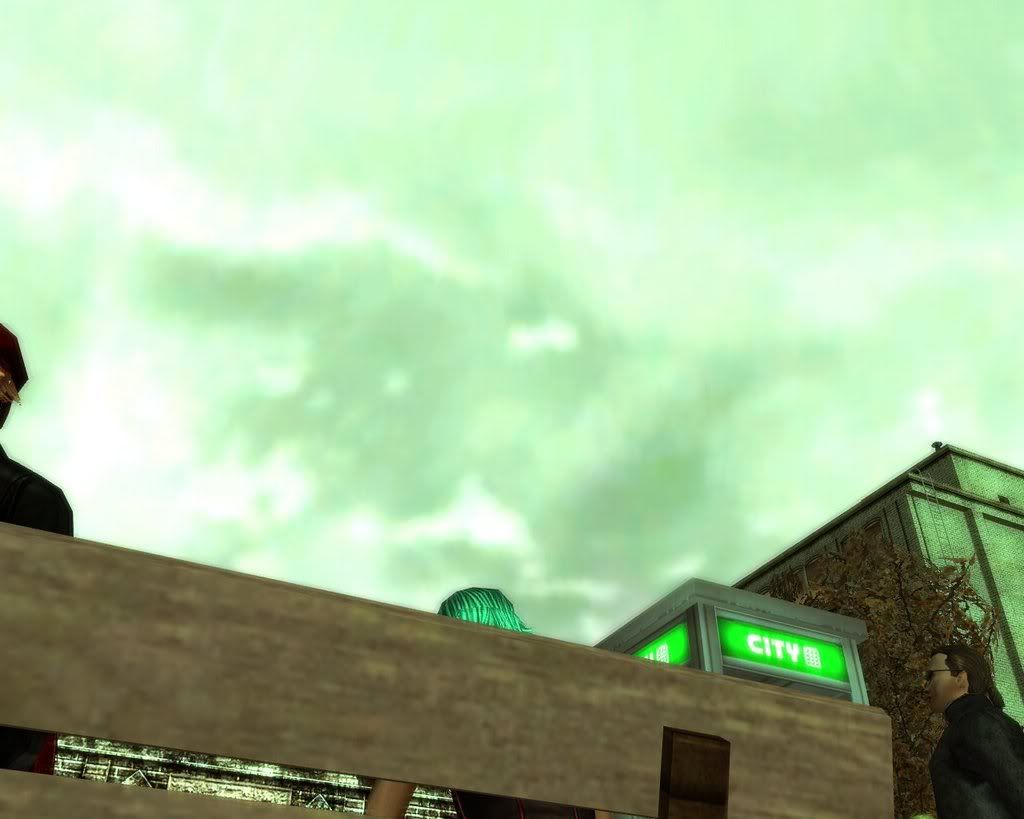
Thanks Bayamos, the sky looks greener like this SMILEY And more natural. Also, the shadows move at incredible speeds on the floor, and the rain is awesome. Is there a way I can make the rain drop faster without changing how long it lasts, or even make the rain brighter would be good.
#36300071516 10/13/2006 16:26:30 Re:More Useropts Options
No problemo, Roukan.

From what I've seen, I can't seem to get the particle weather useropts to work. There are three possibilities - they could be admin-only, they could be non-adjustable like GrassLoadPercent, or I could be using the wrong value/type of value. I'll give them a look again. I think I've posted the weather useropts in a prior page of this thread, so if anyone else wants to give them a shot as well, that would be cool.

Honestly, there are soooooooooooooooooooooooooo many useropts I have that don't appear to work at all. I'd give my left nut for some of them (Wireframe, LoadNoTextures, other RW / WR / FX ones) to work. Well, maybe I wouldn't but you get the point.
#36300072702 10/15/2006 12:05:58 Re:More Useropts Options
The parameter I've been playing around with lately is ModelLighting_AmbAdd_R  = 50. Like I said earlier in the thread, you can add a _B and _G, like so:

ModelLighting_AmbAdd_R  = 50
ModelLighting_AmbAdd_G  = 50
ModelLighting_AmbAdd_B  = 50

This results, instead of models (RSIs, props like hardlines, doors, streetlamps) having a red green or blue glow, their overall gamma is increased separate from the rest of the world. This looks kinda odd at night, like we turned the LightPool up a lot, but in daytime or the hazy afternoons, it can really give RSI lighting a kick and show off a lot more detail. In conjunction with the ScreenFilters, using a deep blue or green, items can also have a bit more contrast than normal. If you want things to be blurry and sort of "Diffuse Glow" ish, you can turn on Overbright in conjunction with this.

Here are some example shots of what this can do.

ScreenFilter w/ ModelLighting:


Overbright added in:


#36300072817 10/15/2006 15:47:39 Re:More Useropts Options
Bay Pwns your Opts.
#36300073377 10/16/2006 17:43:00 Re:More Useropts Options
Can someone please post where I could get the useropts for making the weather shorter or longer?
#36300073435 10/16/2006 20:34:27 Re:More Useropts Options
#Day Length in Seconds
wr_envdaylength = x

default is 3600. For a day cycle that lasts 1 minute, do 60. For a day that neverrrrrrrrrrrrr everrrrr changes weather, do 999999999999. And so on.
#36300073455 10/16/2006 22:09:29 Re:More Useropts Options
Thanks a ton Bayamo
#36300073564 10/17/2006 05:20:44 Re:More Useropts Options
Bayamo wrote:
Try this out and let me know if it's what you're looking for:

WR_Mottle_Speed = 5000 (adjust as you feel like).

To have uberfast movement, set it to like 100.

(I hope I didn't reverse those two values.. I just got back from a meet and a subsequent victory feast, and now I'm dead tired).
5000 makes the cloud shadows move really fast on the ground, and 100 makes the shadows nonexistant. Good for those of us with dying or *CENSORED* processors SMILEY
#36300076344 10/20/2006 16:05:52 Re:More Useropts Options
can some post the command for making it rain for about 4hr and night for 4hrs and if possible, rain at night for about 4hrs or longer thanks. SMILEY
#36300076476 10/20/2006 21:26:13 Re:More Useropts Options
Unfortunately there's no such useropt (well there's wr_rezevents and such, but they're admin-only). We can't change the weather cycles, only alter their speed.

If you find a weather pattern you like, jackout and set wr_envdaylength to 99999999999999999999999 and you'll keep that weather as long as you're jacked in. That's really the only thing you can do in terms of such an effect.
#36300076800 10/21/2006 16:59:57 Re:More Useropts Options
yea I've seen that before but when I jackout when it's raining at night, i change the command in my useropts file to the wr_envdaylength to 99999999999999999999999 and when I jack back in it's perma daytime...I even ask people what time of day it is to them and they tell me night tie and rainingSMILEY
#36300083929 10/29/2006 10:51:18 Re:More Useropts Options

In regards to CameraHyperJumpPitch = 0 , is there any way that I can get the camera to stay behind me but a little above me as well when I hyperjump?  I like being behind me, but I would like to see the ground and where I'm hyperjumping to as well and not just the back of my coat.

#36300083942 10/29/2006 11:50:03 Re:More Useropts Options
MrMagno wrote:
yea I've seen that before but when I jackout when it's raining at night, i change the command in my useropts file to the wr_envdaylength to 99999999999999999999999 and when I jack back in it's perma daytime...I even ask people what time of day it is to them and they tell me night tie and rainingSMILEY

Because the wr_envdaylength doesn't stick to when you first applied it, it sticks to when you log in and stays that way until you log out. There may be a command for making it start off as a certain time of day (of your choice) when you log in. You would have to use that and envdaylength as a combo.


#36300100950 11/21/2006 13:34:14 More Useropts Options
Is there a Useropts command that will throw in like a thousand pedestrians in one given scene?

I want to test out my Dual X1950XTXs and the Quad Core CPU before i have to sell it
#36300101100 11/21/2006 17:45:59 Re:More Useropts Options
A thousand? Well...

You have the useropts for such a thing already, at least according to your previous posts in this thread. You've set peddiemaxcount and density, et cetera rather high - if you wish, set them even higher.

The key to getting a lot of pedestrians, tho, is to wait. They need to spawn, so the longer you wait, (leave MXO on while eating dinner or something), the more you should have walking around.
#36300101108 11/21/2006 18:02:35 More Useropts Options
Awww so theres no useropts to make the peds spawn faster??? cuz tbh ive tried waiting and i dunno how long youre supposed to wait but it doesnt seem to get any more...same for traffic...hmm
#36300103529 11/24/2006 22:57:29 Re:More Useropts Options
Do you have your Ped Density slider in Video Options up all the way? If that's not up all the way, any useropts settings will be ignored.

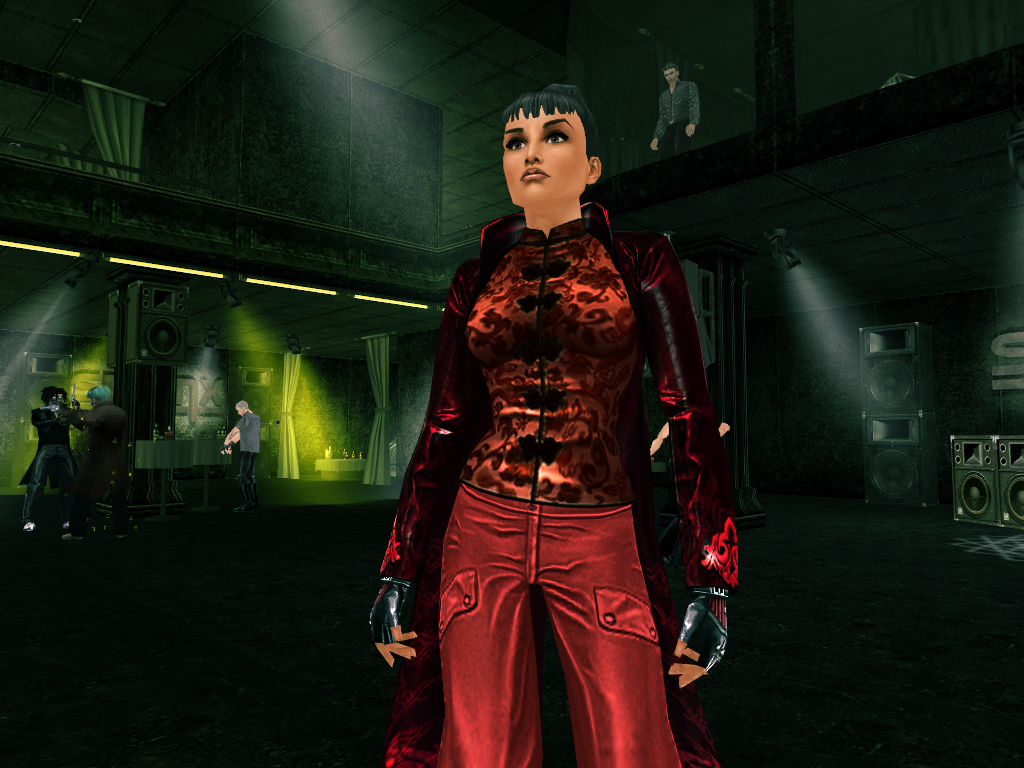
Also, I just wanted to post this screenie of inside Club Sphinx to once more illustrate how much I love ModelLighting... it does something that really brings out reds; I'm going to get a Demon Army trench for myself for that sole reason.


#36300103638 11/25/2006 05:36:02 Re:More Useropts Options

Sorry if it has already been posted but are there any useropts for making a certain time of day and weather type permanent?

For example to make it always day time and sunny. It's a kind of drastic solution I have to stop lagging because whenever the world tone changes it lags like hell.

Info Blog
#36300103690 11/25/2006 08:26:42 Re:More Useropts Options
Well, you cannot pick a specific weather type that I know if - there is the offset useropt, but so far I and everyone else have been unable to get it to work correctly. Either it's admin-only, or we're inputting the wrong types of variables.

What you can do, though, is to set wr_envdaylength = 99999999999999999. You won't have any choice in what the weather is like, but it will stay like that as long as you're on. (Hardlining or teleporting might resync the weather, I haven't used this parameter in a while so just FYI).
#36300103894 11/25/2006 15:27:12 Re:More Useropts Options
So there's not yet any settings to change saturation or contrast? I was thinking of playing more with the green tint filters, setting all the numbers to varying negatives but I'm unsure if that will work how I want it to.

And because it was raining the today; is there a way to set the transparency of rain drops? I think rain would look better if rain had a 50% opacity or something. Rain drops in-game now look like lines of teal.
#36300104812 11/26/2006 19:41:56 Re:More Useropts Options
Slider_Rain_Detail
WR_WeatherRainHorzDistance 
WR_WeatherRainVertDistance 
WR_WeatherRainMaxVolume
WR_WeatherRainParticles
WR_WeatherRainRenderStyle  
WR_WeatherRainTime 
WR_WeatherRainLength   
WR_WeatherRainAlpha
WR_WeatherRainTexture  
RainSplash_Max_Count   
RainSplash_FxID
RainSplash_FxID_Day
RainSplash_RetryAttempts   
RainSplash_Radius  
RainSplash_RndRot_Mag  
RainSplash_FX_Len_Scale
WR_WeatherParticle_Scale

These are the only things I can find with regard to rain (and the last would affect all weather). As you can see, there's nothing involving transparency... I think that would have to do with shaders rather than textures, which would require a completely different type of weather. However, there is the "Alpha" one, which might be worthwhile, same with the RenderStyle or Texture... the question with those, though would be a) are they admin-only (or just pains in the butt) and b) what kind of values/text do you enter...

In terms of contrast, I have noticed that setting it to red/blue gets more contrast than normal, although I'm not sure if that's because none of the models were designed to be blue. I don't know of any non-color, black/whiteish contrast setting atm.

Hey there arzubazman... right now I'm in awe of the options skyline setting you found, although I plan on at least attempting to play with parameters and find which settings it is on my own before I come to you begging for help... so expect me to ask in about a week, hehe.
#36300104827 11/26/2006 20:07:45 Re:More Useropts Options
Bayamo wrote:
Slider_Rain_Detail
WR_WeatherRainHorzDistance 
WR_WeatherRainVertDistance 
WR_WeatherRainMaxVolume
WR_WeatherRainParticles
WR_WeatherRainRenderStyle  
WR_WeatherRainTime 
WR_WeatherRainLength   
WR_WeatherRainAlpha
WR_WeatherRainTexture  
RainSplash_Max_Count   
RainSplash_FxID
RainSplash_FxID_Day
RainSplash_RetryAttempts   
RainSplash_Radius  
RainSplash_RndRot_Mag  
RainSplash_FX_Len_Scale
WR_WeatherParticle_Scale

These are the only things I can find with regard to rain (and the last would affect all weather). As you can see, there's nothing involving transparency... I think that would have to do with shaders rather than textures, which would require a completely different type of weather. However, there is the "Alpha" one, which might be worthwhile, same with the RenderStyle or Texture... the question with those, though would be a) are they admin-only (or just pains in the butt) and b) what kind of values/text do you enter...

In terms of contrast, I have noticed that setting it to red/blue gets more contrast than normal, although I'm not sure if that's because none of the models were designed to be blue. I don't know of any non-color, black/whiteish contrast setting atm.

Hey there arzubazman... right now I'm in awe of the options skyline setting you found, although I plan on at least attempting to play with parameters and find which settings it is on my own before I come to you begging for help... so expect me to ask in about a week, hehe.

Whoa, awesome. I think I may try some of those... Especially want to figure out the values for "RainSplash_Max_Count" hehe. I wonder if the Volume one can make it so that you can get really, really heavy rain.
#36300104830 11/26/2006 20:12:23 Re:More Useropts Options
I've tried a few and have found no success with useropts, but I bet options might be worth a shot. If you find anything do tell, I plan on playing with rain / tint / skybog and fog settings myself once I finally finish this EuroHistory paper around 2 AM... SMILEY
#36300110442 12/02/2006 21:07:37 Re:More Useropts Options
im not sure if useropts could do anything about this. while hyperjumping, ill look arround, and when things get a certian distance away from me, they jsut vanish, is it possible to make it so i can see farther?
#36300110691 12/03/2006 08:52:57 Re:More Useropts Options
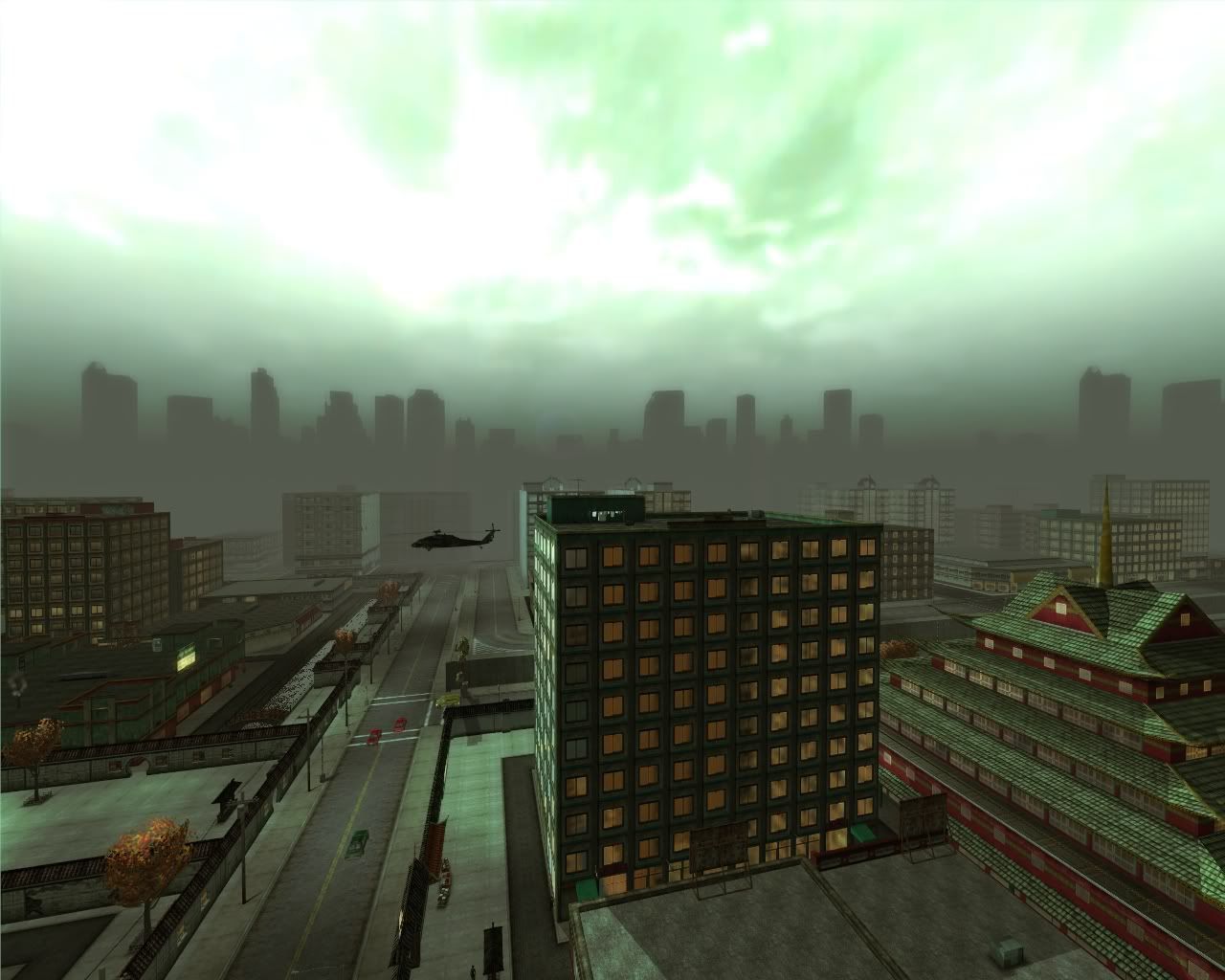
My first question would be is your Exterior Distance slider up all the way.. if not, there you go. If it is, you can boost the distance higher with options or useropts changes. The reason objects are fading is most likely because your height is greater than the value your render distance is set for.
#36300111718 12/04/2006 13:59:26 Re:More Useropts Options
bayamo is my new hero. get this guy a forum rank, mods!

most of these are self explanatory.. but im a bit of a nerd with experience in this sorta thing. we'll compare notes soon, ive been working with many settings related to yaw/pitch
#36300111745 12/04/2006 14:21:17 Re:More Useropts Options
found it.. didnt wanna say anything cuz didnt remember the name of the strings, but check out:

wr_skybox_fogrim_fogdst = xxxxx
wr_fogfardist = xxxxx

in your options.cfg file (note the different name) same as where the useropts.cfg is kept.

when you guys see strings with 'leet' names such as exteriorcamerafarz, i think that these are linear distance settings.. for example, exterior distance setting, in whole integers probly measured in cm, on the z axis or 'horizontal' plane. most of these are probly the settings that you adjust from ingame in the settings dialog.
#36300111748 12/04/2006 14:26:18 Re:More Useropts Options
cryshal wrote:
found it.. didnt wanna say anything cuz didnt remember the name of the strings, but check out:

wr_skybox_fogrim_fogdst = xxxxx
wr_fogfardist = xxxxx

in your options.cfg file (note the different name) same as where the useropts.cfg is kept.

when you guys see strings with 'leet' names such as exteriorcamerafarz, i think that these are linear distance settings.. for example, exterior distance setting, in whole integers probly measured in cm, on the z axis or 'horizontal' plane. most of these are probly the settings that you adjust from ingame in the settings dialog.
What exactly does that do? I'm dumb in this stuff.
#36300111775 12/04/2006 15:13:33 Re:More Useropts Options
cryshal wrote:
found it.. didnt wanna say anything cuz didnt remember the name of the strings, but check out:

wr_skybox_fogrim_fogdst = xxxxx
wr_fogfardist = xxxxx

in your options.cfg file (note the different name) same as where the useropts.cfg is kept.

when you guys see strings with 'leet' names such as exteriorcamerafarz, i think that these are linear distance settings.. for example, exterior distance setting, in whole integers probly measured in cm, on the z axis or 'horizontal' plane. most of these are probly the settings that you adjust from ingame in the settings dialog.


wr_skybox_fogrim_fogdst = xxxxx Seems to be the distance used when calulating how much fog to draw on the skyline
wr_fogfardist = xxxxx Seems to be the distance until the fog is at maximum density

'leet' names such as exteriorcamerafarz

I LOLed. exteriorcamerafarz is actually "exterior camera far z"  as in XYZ where Z is the distance from the camera (-Z is behind the camera). Y is up-down and X is left-right (distance not pitch/angle)

XYZ when looking from the camera's point of view is:

In the interests of staying on topic I'll stop there. If you want to know more about 3D rendering, PM me.

phiAU - The Kings of Never - noblesse oblige
#36300111857 12/04/2006 17:47:20 Re:More Useropts Options

Wow! what a great thread. In the spirit of helping avoid repeat questions, I've compiled all the relevant info throughout this thread (up to this point, and relevant IMHO) in a Word document with a basic table of contents and index. This is far from refined but should make it much easier to browse the majority of what has been discussed and shared in this thread. Hope some find it helpful and thanks Bayomos for making the code that much clearer to us redpills.

You can download it here:

Excerpts from Bayomos UserOpts post

2/1/7 Link has been fixed. 4shared.com deactivated this account for no apparent reason. If they do it again, I'll host this document somewhere else. Thanks to The Leo for the heads up on this issue.

#36300112136 12/05/2006 06:47:26 Re:More Useropts Options

OK I have the following three useropts figured out now...

  1. wr_extfardist = Maximum visible distance outside
  2. wr_fogfardist = distance from camera that fog becomes 100% opaque
  3. wr_skybox_fogrim_fogdst = distance to use when calculating how much fog to apply to skyline image

These three when used together create Ms Bazman's "balance". Here's how they work:

option 3 (wr_skybox_fogrim_fogdst) depends on option 2 (wr_fogfardist)

Assume that we have (nice numbers used for ease of understanding):
wr_fogfardist = 100000

This means that at 100000 game units away from the camera (1000 units = approx 10 meters) there are no colours left, only fog (this only affects the world map and not the sky, everything is silhouettes)

Now if we set:
wr_skybox_fogrim_fogdst = 0

now we see that the skyline image is clear and we can see the buildings in full colour.

but if we set:
wr_skybox_fogrim_fogdst = 100000

you will see that the skyline is now just solid fog colour.

now we set:
wr_skybox_fogrim_fogdst = 85000

... and now the skyline buildings are quite foggy but have some colour.
This is because the fog is at 100% at 100000 GUD (Game Units Distance) but the skyline is being drawn as though it is at 85000 GUD.

HERE IS WHERE WE GET THE BALANCE RIGHT...

if we now set:
wr_extfardist = 85000

you will see that the world is only drawn to 85000 GUD (less than the fog max distance) so the furthest things you see aren't in complete fog and have some detail. But now the skyline looks the same distance as the far buildings and it looks wrong.

so we set (my current settings):
wr_extfardist = 70000
wr_fogfardist = 160000
wr_skybox_fogrim_fogdst = 130000

now we have buildings in the distance with some fog, the skyline with more fog but nothing is 100% obscured by fog.

Please note that wr_fogfardist is from the camera, NOT your RSI. so if you zoom out from your RSI you will disappear in the fog.

For some cool shots you can set:
wr_extfardist = 70000
wr_fogfardist = 1
wr_skybox_fogrim_fogdst = 1

Enjoy the cartoony simple shapes... I forsee this being used for more "Sin City" style pics. I'll post mine soon.

phiAU - The Kings of Never - noblesse oblige
#36300112144 12/05/2006 07:00:30 Re:More Useropts Options
So here's a mighty nice question that I highly doubt can be done, but oh well.

In CoV if the graphics are really high, it blurs the backround buildings and such to cut down on performace, as can be done with FFXI with some registry edit. Is there a possible option like this in useropts?

Like how that one option shows far away buildings at full textures, this one just adds a blur to the faraway buildings so it's low texture but doesn't look to grotesque.
#36300112150 12/05/2006 07:09:07 Re:More Useropts Options

To do that in MxO you need to:

  • Set wr_extfardist > wr_fogfardist
  • Set wr_skybox_fogrim_fogdst >= wr_fogfardist
  • turn on load sector LODs (makes map lose detail over distance ... LOD = Level Of Detail)

The reason to turn up the fog is to hide the ugly low detail buildings but still see the shape of them.

As for distance blur ... not possible in-game, hence all those players adding distance blur in photoshop.

phiAU - The Kings of Never - noblesse oblige
#36300112155 12/05/2006 07:11:50 Re:More Useropts Options
phi wrote:

To do that in MxO you need to:

  • Set wr_extfardist > wr_fogfardist
  • Set wr_skybox_fogrim_fogdst >= wr_fogfardist
  • turn on load sector LODs (makes map lose detail over distance ... LOD = Level Of Detail)

The reason to turn up the fog is to hide the ugly low detail buildings but still see the shape of them.

As for distance blur ... not possible in-game, hence all those players adding distance blur in photoshop.

Will that increase or lose performance on weak computers?
#36300112164 12/05/2006 07:30:10 Re:More Useropts Options
Roukan wrote:
phi wrote:

To do that in MxO you need to:

  • Set wr_extfardist > wr_fogfardist
  • Set wr_skybox_fogrim_fogdst >= wr_fogfardist
  • turn on load sector LODs (makes map lose detail over distance ... LOD = Level Of Detail)

The reason to turn up the fog is to hide the ugly low detail buildings but still see the shape of them.

As for distance blur ... not possible in-game, hence all those players adding distance blur in photoshop.

Will that increase or lose performance on weak computers?


wr_extfardist  is the main factor as that says how far the computer has to drawthe main world stuff (buildnigs and roads)

buildings will draw as low detail if they are past wr_fogfardist so set it less than wr_extfardist to get some of the stuff you see in undetectable low-LOD (will speed things up)

Also to speed things up even more turn down the following:
wr_extobjfardist
wr_propfardist
wr_propfadedist

That will mean that things like trash, grass, benches, bus stops, fire escapes, signs and other such doodads will dissappear closer to you than other stuff.
These doodads are much more work for your computer than the buildings. If you keep these fairly low you can turn wr_extfardist up and see further without the performance hit.

To make the transition between high and low quality textures smoother turn up the ansitropic filtering on you gfx card's settings (outside of MxO)

if it's an nVidia card use "riva-tuner" for older cards or the driver settings in control pannels on newer cards to change this.

phiAU - The Kings of Never - noblesse oblige
#36300112166 12/05/2006 07:33:31 Re:More Useropts Options
phi wrote:
Roukan wrote:
phi wrote:

To do that in MxO you need to:

  • Set wr_extfardist > wr_fogfardist
  • Set wr_skybox_fogrim_fogdst >= wr_fogfardist
  • turn on load sector LODs (makes map lose detail over distance ... LOD = Level Of Detail)

The reason to turn up the fog is to hide the ugly low detail buildings but still see the shape of them.

As for distance blur ... not possible in-game, hence all those players adding distance blur in photoshop.

Will that increase or lose performance on weak computers?


wr_extfardist  is the main factor as that says how far the computer has to drawthe main world stuff (buildnigs and roads)

buildings will draw as low detail if they are past wr_fogfardist so set it less than wr_extfardist to get some of the stuff you see in undetectable low-LOD (will speed things up)

Also to speed things up even more turn down the following:
wr_extobjfardist
wr_propfardist
wr_propfadedist

That will mean that things like trash, grass, benches, bus stops, fire escapes, signs and other such doodads will dissappear closer to you than other stuff.
These doodads are much more work for your computer than the buildings. If you keep these fairly low you can turn wr_extfardist up and see further without the performance hit.

To make the transition between high and low quality textures smoother turn up the ansitropic filtering on you gfx card's settings (outside of MxO)

if it's an nVidia card use "riva-tuner" for older cards or the driver settings in control pannels on newer cards to change this.

Can you give me numbers to work with on those options? SMILEY I'm kinda dumb
#36300112177 12/05/2006 07:42:34 Re:More Useropts Options

for slower computers I'd recommend using the in-game GFX options. They get the ratios right for you.
if that's still not good enough edit the values in your .cfg  by multiplying all the values by 1.25 ... That will keep them in the right ratios.

values that seem rediculosly small for me are waaay too much for most users. here are my current settings:

(Standard everyday running around settings ... not super high quality photos)
dl_slod_initloadradius = 70000
dl_slod_prefetchradius = 70000
dl_ext_prefetchradius = 70000
dl_int_prefetchradius = 4000
dl_prop_prefetchradius = 12500
dl_sid_prefetchradius = 70000
dl_sidi_prefetchradius = 5000
dl_nav_prefetchradius = 70000
wr_extfardist = 70000
wr_exttointdist = 2500
wr_extobjfardist = 20000
wr_propfardist = 20000
wr_propfadedist = 20000
wr_slodfardist = 250000
wr_skybox_fogrim_fogdst = 130000
wr_fogfardist = 150000
camerafarz = 70000
exteriorcamerafarz = 70000
interiorcamerafarz = 50000

for high quality I tend to have these between the 100000 and 250000 range with a max of 300000 (you can zoom out over the Uriah Warf bridge and see Tabor park)
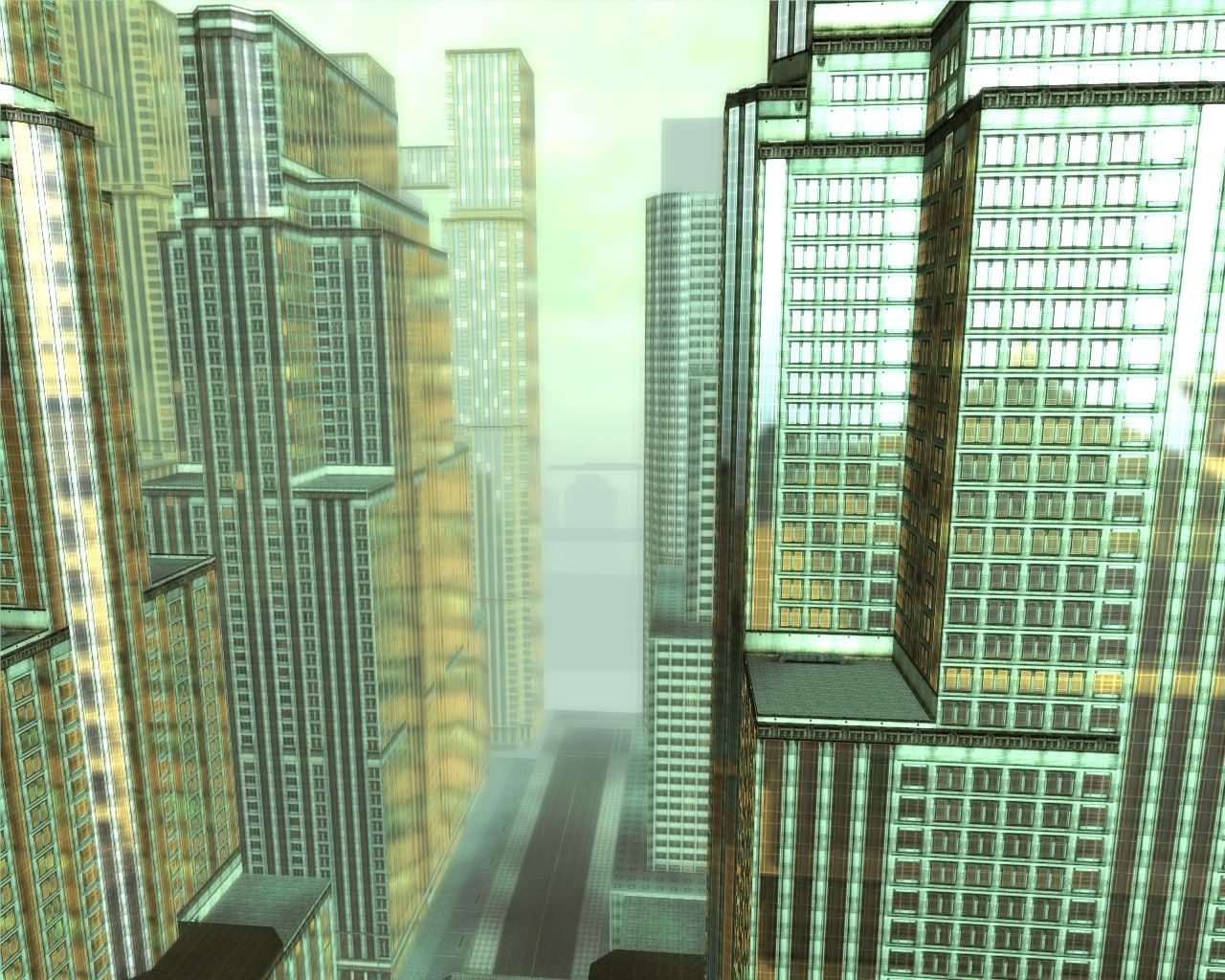
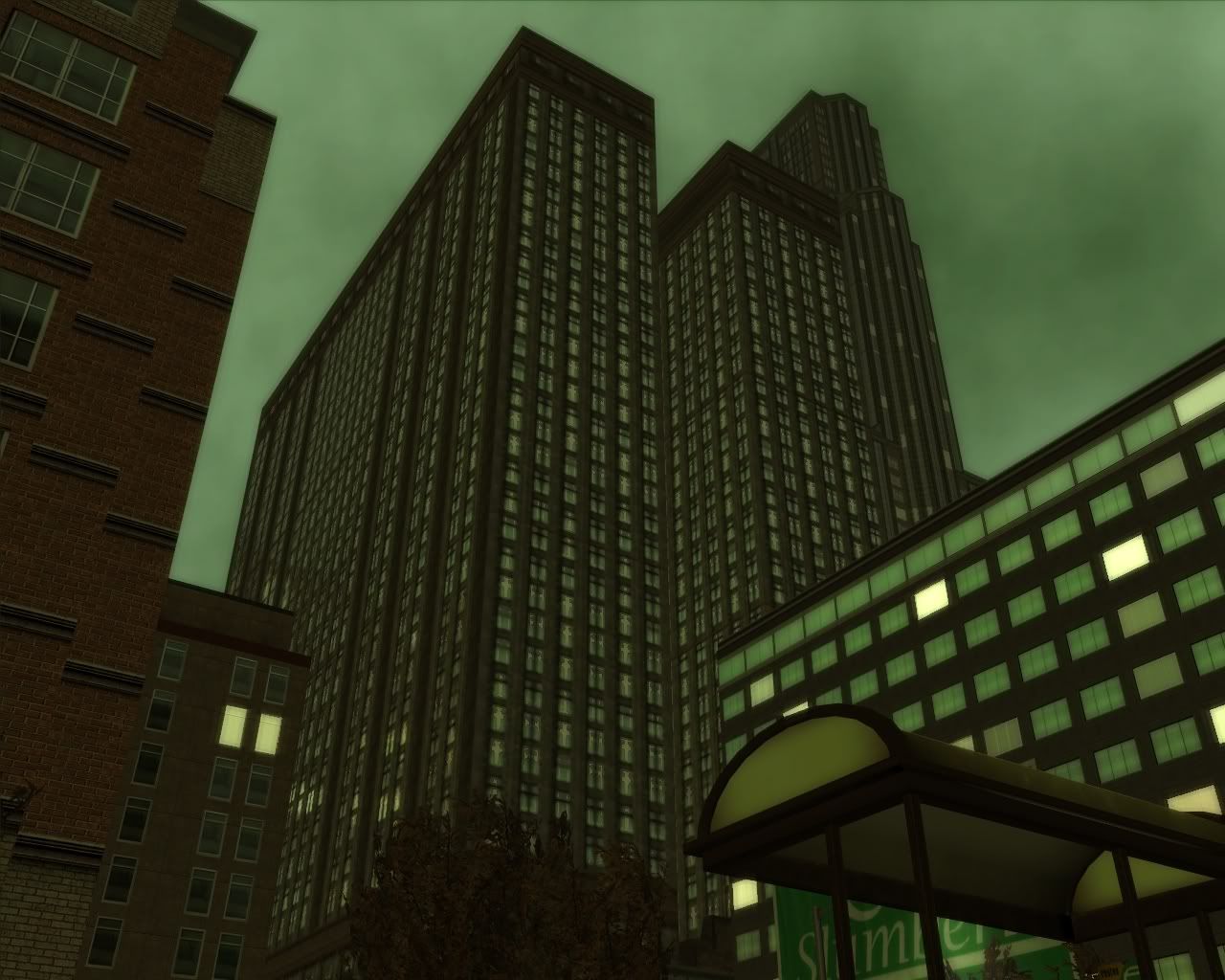
phiAU - The Kings of Never - noblesse oblige
#36300115448 12/08/2006 15:40:41 Re:More Useropts Options
Is it possible to change the "world events" link in-game to display perhaps, another page on the internet through the user opts.

#36300115706 12/09/2006 02:17:32 Re:More Useropts Options
Not through useropts. You'd have to change your game files, which is against the EULA.

- Void
Recursion: n - See Recursion.
Void's Sig
#36300115831 12/09/2006 07:07:15 Re:More Useropts Options
Drats. Foiled Again!
#36300116126 12/09/2006 15:33:51 Re:More Useropts Options
Is there a useropts option that takes you directly to whatever tab you want in the Loading Area so instead of coming to the first page it sends you directly to the Hardline or Items page without having to click on the tab itself?
#36300116140 12/09/2006 15:45:08 Re:More Useropts Options
No.
#36300116609 12/10/2006 12:03:58 Re:More Useropts Options
I'm still trying to see how far I can go with my parameters, but here's what I've got at the moment.


AntiAlias_Level = 1
AntiAliasFSOverSample = 14
AntiAliasFSQuality = 14
dl_ext_initloadradius = 100000
dl_int_initloadradius = 10000
dl_prop_initloadradius = 10000
dl_floorheight = -350
dl_prop_prefetchradius = 100000
dl_slod_initloadradius = 400000
dl_slod_prefetchradius = 400000
dl_ext_prefetchradius = 160000
dl_int_prefetchradius = 120000
dl_prop_prefetchradius = 200000
dl_sid_prefetchradius = 100000
dl_sidi_prefetchradius = 10000
dl_nav_prefetchradius = 100000
wr_extfardist = 255000
wr_exttointdist = 10000
wr_extobjfardist = 10000
wr_propfardist = 255000
wr_propfadedist = 255000
wr_slodfardist = 255000
wr_skybox_fogrim_fogdist = 255000
wr_fogfardist = 300000
camerafarz = 100000
exteriorcamerafarz = 100000
interiorcamerafarz = 100000


#36300123301 12/18/2006 15:00:46 Re:More Useropts Options
Well, Here are my pics, i used a couple of useropts options i already knew SMILEY Enjoy!!


((BTW This is EnterTheFenix !!! Yeah im back, message me ingame to FireFenix and say hi)))


[How come i cant make posts ? i can only reply in other peoples posts.. wierd]


SMILEY


#36300123306 12/18/2006 15:13:21 Re:More Useropts Options

Can someone post a "Good" config so that I can test.

Thanks

PS:  FireFenix777 I loved your lost screen shots... If you can post yours i would like to see how my system would fair using it.  Thanks Agian

#36300123314 12/18/2006 15:20:49 Re:More Useropts Options
This is what i used, it makes doors and hls look really really blue, but once your fighting in an abstract place it looks great. SMILEY

Well i had my graphics set to max, but all you need is OverBright on and The Green Matrix Code option (The one under overbright in the options menu)

And as for useropts, use these simple ones:

#LIGHTING:
#ModelLighting_AmbAdd_R = 50
#ModelLighting_AmbAdd_G = 50
ModelLighting_AmbAdd_B = 50

#SCREENSHOT QUALITY:
ScreenShot_JPG_Quality = 100

#BLUE TINT:
ScreenFilters_GreenShift_Color_1_R = 0
ScreenFilters_GreenShift_Color_1_G = 0
ScreenFilters_GreenShift_Color_1_B = 1
ScreenFilters_GreenShift_Color_0_R = 0
ScreenFilters_GreenShift_Color_0_G = 0
ScreenFilters_GreenShift_Color_0_B = 1

#BULLET TIME (Good for taking screenies SMILEY)
RenderBulletTimeOnly = 1
AlwaysDoBulletTime = 1
AllowBulletTimeCamera = 0

#LIGHT POOL (Makes the area around you darker, and your area lighter i think, it just makes everything look better over all SMILEY)
PlayerFX_LightPool_Bright_Scale=1
PlayerFX_LightPool_Proj_Angle=1.80
PlayerFX_LightPool_Radius=5


Thats it bro!