My face is sometimes black

8 posts ยท 2009-01-22 17:16:12 to 2009-01-24 07:19:19

#36300537393 01/22/2009 17:16:12 My face is sometimes black

Good evening,

I got a ATI graphic card with 1GB memory... ATI RADEON HD 3600 series.

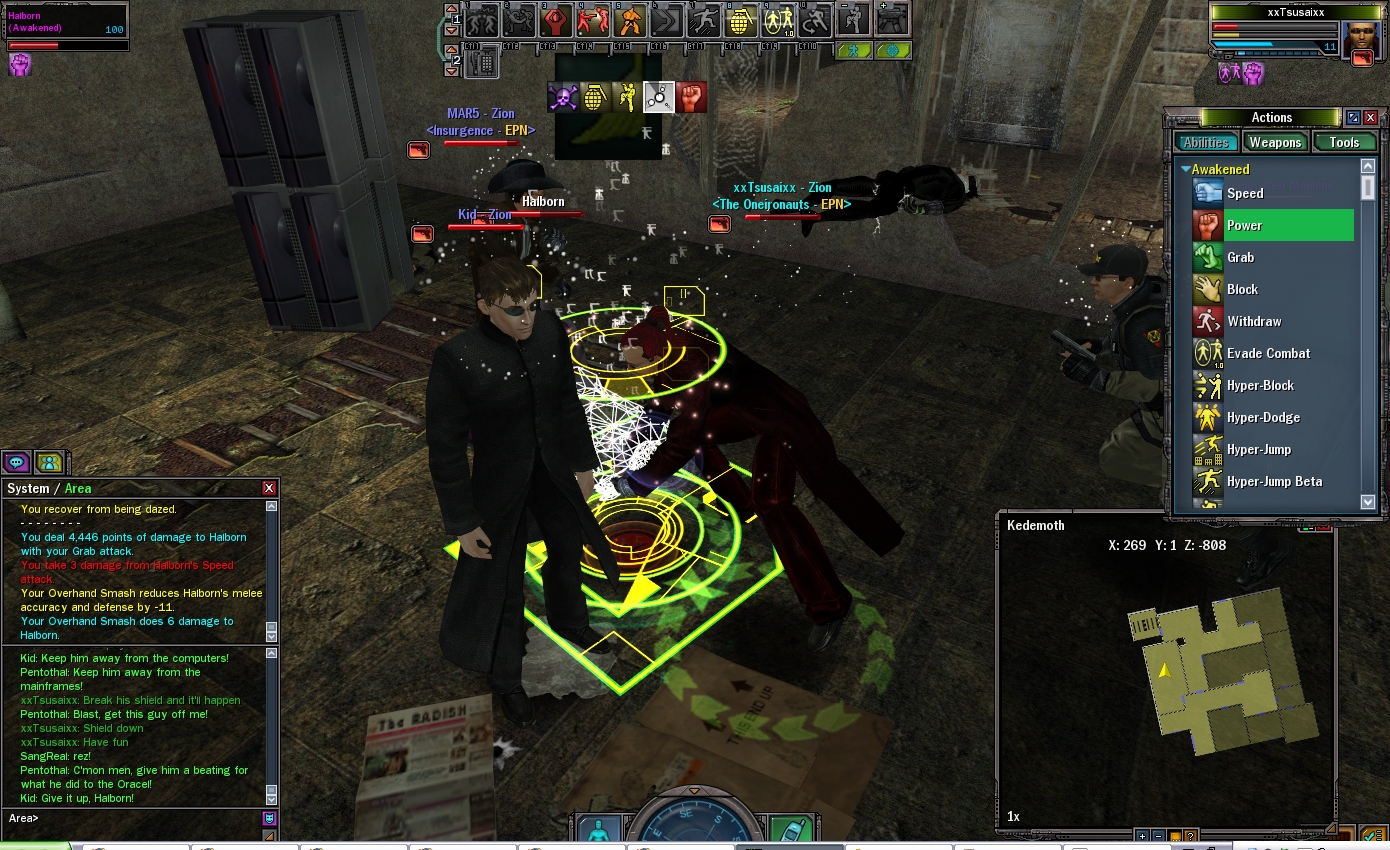
My character face is sometimes black, sometimes it reverts to normal color, like the shadow of the enviroment light source is warped in the face. How do i fix this issue?

Thanks in advance

#36300537503 01/23/2009 04:07:03 Re:My face is sometimes black

do u have windows vista?

Photobucket
#36300537573 01/23/2009 09:20:51 Re:My face is sometimes black

Yes in fAct i do have Win Vista on my PC.

#36300537595 01/23/2009 10:23:07 Re:My face is sometimes black

thas why

Photobucket
#36300537622 01/23/2009 12:30:32 Re:My face is sometimes black

Yeah, what we have here is a Vista glitch as Vista and MXO don't work so well together, as can be seen here http://forums.station.sony.com/mxo/..._id=36300009145

Good news is, the vista problems are currently being worked on so with any luck this kinda stuff will soon be a thing of the past. But in the meantime there is a work around for the shadows on faces.

Create a notepad document and save it as useropts.cfg inside your Matrix Online folder in your computer, then copy and paste these lines into the useropts file and save it:

modellighting_enable = 0
modellighting_ambadd_r = 0.33
modellighting_ambadd_g = 0.33
modellighting_ambadd_b = 0.33
PlayerFX_LightPool_Bright_Scale = 0

Then restart your game and hopefully no more shadowy faces

Hope that helps.

#36300537630 01/23/2009 13:14:32 Re:My face is sometimes black

Thank you for your help guys... i really appreciate it! I will try this and reply if needed.

#36300537633 01/23/2009 13:25:43 Re:Re:My face is sometimes black

Dulux wrote:

Yeah, what we have here is a Vista glitch as Vista and MXO don't work so well together, as can be seen here http://forums.station.sony.com/mxo/..._id=36300009145

Good news is, the vista problems are currently being worked on so with any luck this kinda stuff will soon be a thing of the past. But in the meantime there is a work around for the shadows on faces.

Create a notepad document and save it as useropts.cfg inside your Matrix Online folder in your computer, then copy and paste these lines into the useropts file and save it:

modellighting_enable = 0
modellighting_ambadd_r = 0.33
modellighting_ambadd_g = 0.33
modellighting_ambadd_b = 0.33
PlayerFX_LightPool_Bright_Scale = 0

Then restart your game and hopefully no more shadowy faces

Hope that helps.


I try and shadow remains... oh well i have to wait for the fix i guess.

#36300537837 01/24/2009 07:19:19 Re:My face is sometimes black

The file must be named useropts.cfg

This file is also available to download here (RIGHT CLICK -> SAVE AS, save to MxO folder)