

I use the various sharpen toold available to enhance my images all the time. Since i have never seen it mentioned on these forums, i thought i would.
Ok so take a nice inmage. Not too dark now.
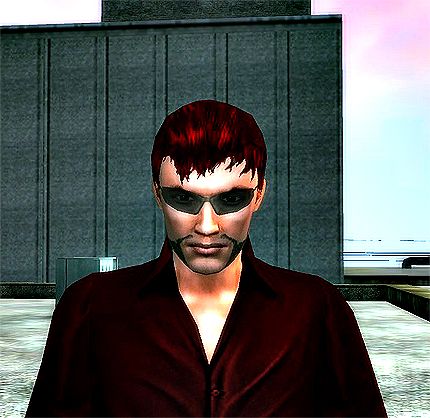
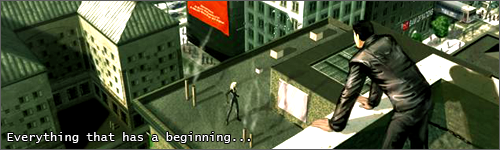
I've choosen this one:
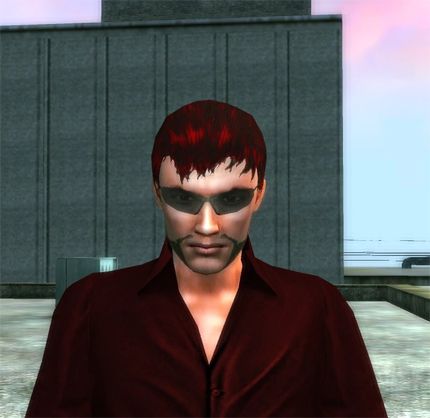
When you have your image do the following:
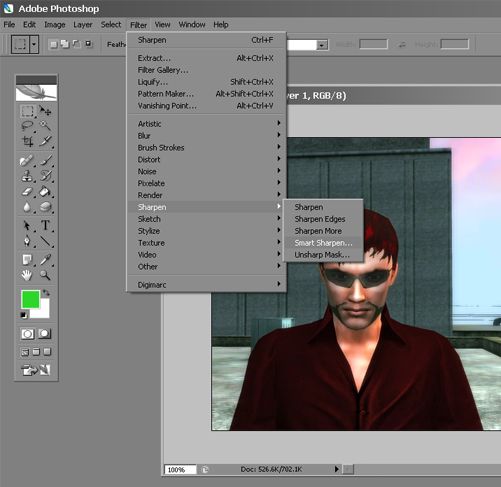
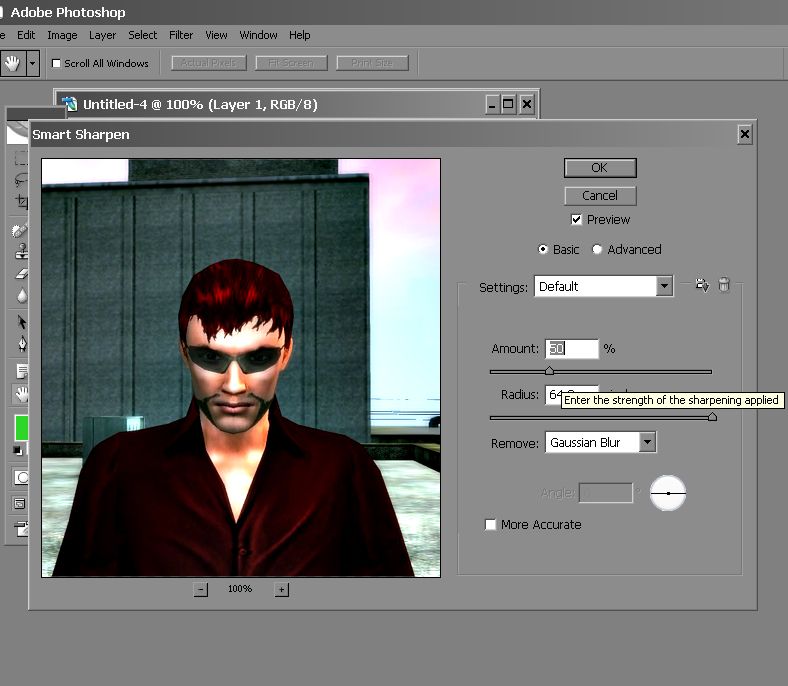
It's really up to you what you set it too here. I normaly set it right down to 0 and work my way up until i'm happy or feel thats too much. Here i have set it to 50 and the radius, i always max that out. That means it covers the whole picture.
After your happy with that choose sharpen more. Sharpen more is like selecting sharpen twice. If you feel sharpen more is too much, press Ctrl+z to go back one and just choose sharpen. As you can see here, i have gone with sharpen more.
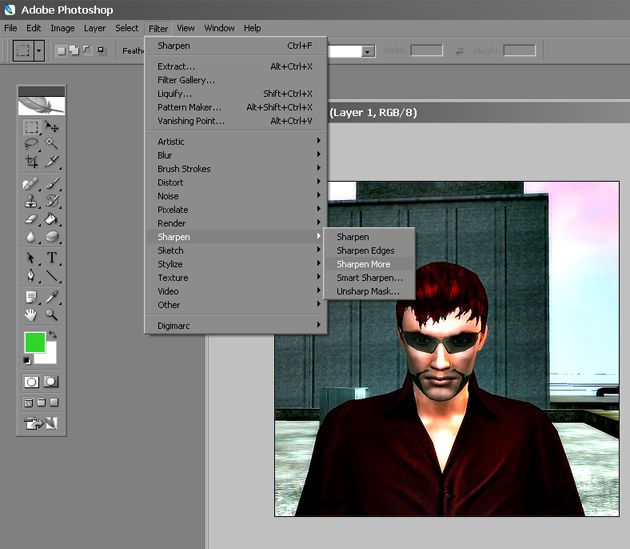
You'll see an enhancement in the image, but also jaggy edges around your RSI, inside your RSI (shadres, hair ect) and also buildings.
The way i get rid of them is by choosing the blur tool.
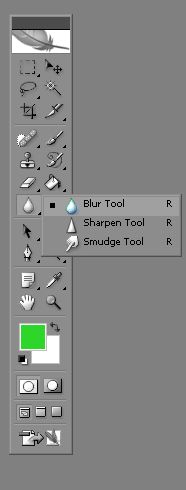
Set the mass diameter to about 5-7, hardness to 100. and strength too about 5%. Leave mode to normal.
Go around the edges of your RSI, buildings inside your RSI like your shirt, shades, or even your face.

I never botherd about the buildings, just my RSI. I should have went over my chin here but, meh!
Feel free to add a green tint or what ever after that.
Try and apply it to a sig like this:
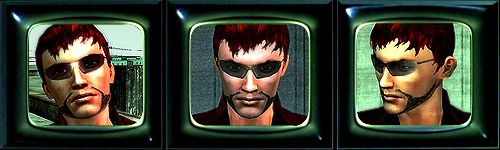
Or the sig i have right now. Hope this helps.
Ok so take a nice inmage. Not too dark now.
I've choosen this one:
When you have your image do the following:
It's really up to you what you set it too here. I normaly set it right down to 0 and work my way up until i'm happy or feel thats too much. Here i have set it to 50 and the radius, i always max that out. That means it covers the whole picture.
After your happy with that choose sharpen more. Sharpen more is like selecting sharpen twice. If you feel sharpen more is too much, press Ctrl+z to go back one and just choose sharpen. As you can see here, i have gone with sharpen more.
You'll see an enhancement in the image, but also jaggy edges around your RSI, inside your RSI (shadres, hair ect) and also buildings.
The way i get rid of them is by choosing the blur tool.
Set the mass diameter to about 5-7, hardness to 100. and strength too about 5%. Leave mode to normal.
Go around the edges of your RSI, buildings inside your RSI like your shirt, shades, or even your face.
I never botherd about the buildings, just my RSI. I should have went over my chin here but, meh!
Feel free to add a green tint or what ever after that.
Try and apply it to a sig like this:
Or the sig i have right now. Hope this helps.


 lol:p
lol:p