Vista Graphics...Did this patch really do anything...?

2 posts · 2009-02-20 01:16:16 to 2009-02-21 11:28:07

#36300545701 02/20/2009 01:16:16 Vista Graphics...Did this patch really do anything...?

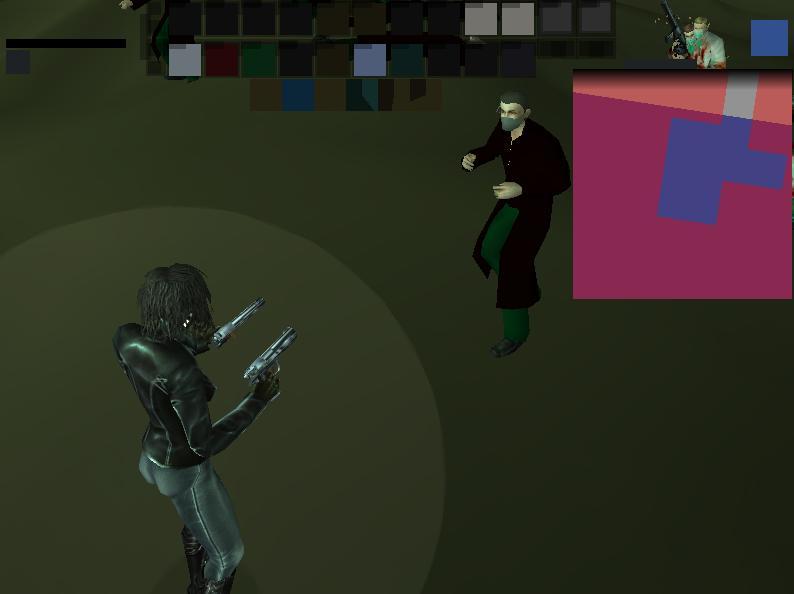
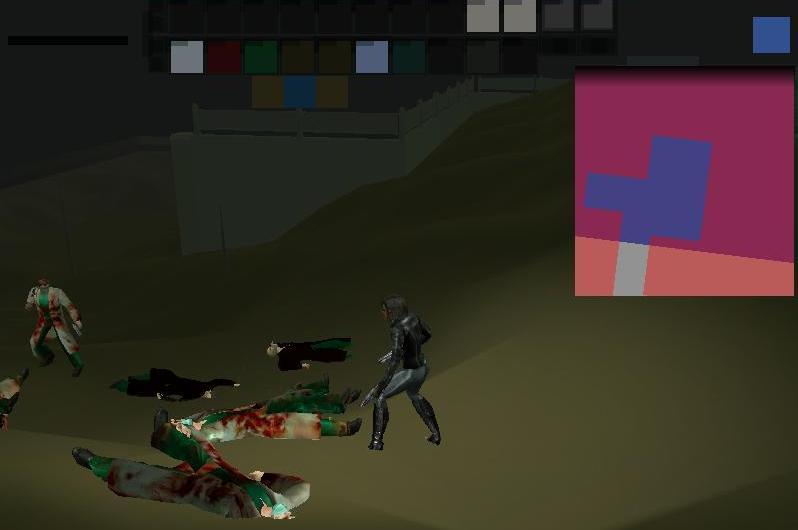
Ok so we had the patch recently to fix vista graphics... yes some glitches are fixed for vista the hair disappearing when wearing a trenchcoat was fixed completely and a couple others...  BUT are the MAJOR vista glitches fixed???  I'm still glitching to HIGH heck in combat....  below are some screenies....  Anyone else still getting this?  I'm on Home Edition of Vista.  32 Bit.  Graphics card is updated to lastest drivers and is a Nvidia GeForce Go 7150 Please give me Feedback if anyone else is getting this still and if so and you fixed it please tell me what the heck you did i'm deseperate D:

EDIT:  Attempting to downgrade from my lastest graphic cards version and see if it helps i'll keep this post updated =S

EDIT 2:  Downgrade successful and seems to be working.. seems odd i always thought lastest video drivers were important to games but i guess MxO is different?  I had a 1.7.X  Version on my 7150 and downgraded to 1.6.X and it seems like it's running smoothly....  Odd indeed!!
#36300546047 02/21/2009 11:28:07 Re:Vista Graphics...Did this patch really do anything...?

If I recall, that is a laptop card. And if I also recall correctly, the latest driver from NVIDIA is 179.48, released on February 11, 2009.  All of Rare's testing and changes were performed on a desktop computer.  Also stated is that this patch wasn't going to nuke all issues.  Some needed actual programming in the source code to fix.

Sometimes upgrading or downgrading drivers might be problematic, as sometimes residual driver files could exist, and old stuff + new stuff = weird stuff. Easiest thing to do, is to purge the drivers completely from the system to make sure what you install, is the the only one there.

I can provide the steps, but I'm not responsible etc etc etc

1) Download the latest driver (http://www.nvidia.com/object/geforce_notebook_winvista_179.48_beta.html)

2) Download Driver Sweeper (http://downloads.guru3d.com/Guru3D---Driver-Sweeper-(no-installer)_d1672.html)

3) Uninstall the old driver via control panel.

4) Reboot into safe mode

5) Run driver sweeper, select NVIDIA-DISPLAY, and hit Clean

6) Reboot into windows. Cancel out New Hardware Device windows.

7) Install Drivers

You might also want to modify your MxO shortcut, to "Disable Desktop Composition".  This turns off Aero temporarily, as this had some possible random issues according to WinterMute I believe.