this is lame how long b4 ppl can use regular ol desktop icons



7 posts · 2008-12-18 12:05:00 to 2008-12-18 15:18:00
this is lame how long b4 ppl can use regular ol desktop icons
Vinia wrote:
They're working on it, so hopefully it'll be sorted pretty soon.
I hate the Station launcher, the friends list registers every SOE charecter you've ever made (or almost all) clogging up the friends list with no ability (that I've seen) to get rid of those ex characters from the list, it's slow and makes you go through a lot more to jack in. Plus it makes you bypass the LA completely. These issues were brough up by people when the beta came out and as far as I can tell they've not been sorted out.
I've never used the station launcher, and I'm stuck at work for the next five hours...
Anyway, as to the issue with registering every SOE char you've ever made, I know that in the MxO game folder, there's another folder in there (I forget what it's called, but I think it's /Characters/ or something of the like) that stores all of the characters you've created in folders.
I wonder if deleting those old folders would resolve this issue?
Anyway, got my fingers crossed for when I get home.
I'm on vista, as such my urge to kill is rising.

I dont like the station launcher either, but meh.. I load up the game, and just shut it down.
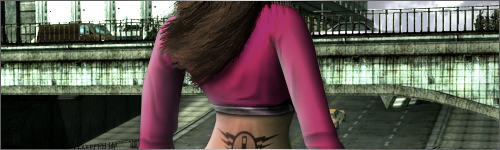
I get texture issues every 10 minutes while on vista, as a womanizing pig do you know how frustrating it is to find out some outfits completely break my graphics?
As for the current situation, my client won't update because of the same error everyone has that they are trying to fix, and the vista station launcher bs is rediculous. I don't have the authority to run a program on my admin account of my computer because i'm not an admin.
~Darminian
GodTier wrote:
Darminian wrote:
I get texture issues every 10 minutes while on vista, as a womanizing pig do you know how frustrating it is to find out some outfits completely break my graphics?
As for the current situation, my client won't update because of the same error everyone has that they are trying to fix, and the vista station launcher bs is rediculous. I don't have the authority to run a program on my admin account of my computer because i'm not an admin.
~Darminian
Do you have other Vista accounts on your computer? If not, right click the program and click "Run As Administrator." If you do, find the admin account, log in, and do the above.
You'll want to change the settings and properties of the program while you're there.
Some people are having problems right clicking the short cut and trying to do that... but it should work if you find the Station Launcher folder and find the file Launcher.exe and set the properties on that. (Vista ftl)

Ic3b3rg wrote:
Virrago wrote:
GodTier wrote:
Darminian wrote:
I get texture issues every 10 minutes while on vista, as a womanizing pig do you know how frustrating it is to find out some outfits completely break my graphics?
As for the current situation, my client won't update because of the same error everyone has that they are trying to fix, and the vista station launcher bs is rediculous. I don't have the authority to run a program on my admin account of my computer because i'm not an admin.
~Darminian
Do you have other Vista accounts on your computer? If not, right click the program and click "Run As Administrator." If you do, find the admin account, log in, and do the above.
You'll want to change the settings and properties of the program while you're there.Some people are having problems right clicking the short cut and trying to do that... but it should work if you find the Station Launcher folder and find the file Launcher.exe and set the properties on that. (Vista ftl)
Are they having problems due to the UAC being enabled or disabled? If the User Account Control is off would that screw up anything else?
"insufficient privileges error"
the short cut won't let you set it to Run as Admin so you have to goto the actual Station Launcher folder and right click the Launcher.exe... it will let you set it to "run as admin" there.
