How do you make a sig that's video of something else? Like a movie?



10 posts · 2008-12-15 20:19:07 to 2009-02-08 19:46:21
How do you make a sig that's video of something else? Like a movie?
it has to be an animated sig, .gif format. Special software is needed, I use Adobe Imageready. If your talking about strait video from a movie file, you need to have the right format and you should be able to import the video into Imageready and it will convert it to frames for you.
Here is one I did with some video in it


Or if you don't want to spend millions of dollars on Adobe programs, you can always use Gimp 2. It's a free .gif software program.
Ballak wrote:
Or if you don't want to spend millions thousands of dollars on Adobe programs, you can always pirate them. It's free to do.
Fixed.
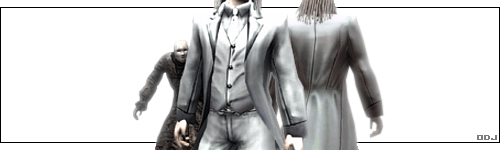
odj wrote:
Ballak wrote:
Or if you don't want to spend millions thousands of dollars on download Adobe programs for free, you can always pirate them. It's free to do.
Fixed.
Fixed
I got imageready for free just by downloading the Photoshop CS2 trial, so /insult
Well, I have a movie in an .avi file, and I don't know how to convert it to .gif. Also, ImageReady doesn't display any video for it, just a blank white screen.
Almost all AVI codecs, like Divx, Xvid, Fraps, etc. are not supported by Adobe's native AVI deencoding.
You need to open your encoded video file in VirtualDUB and export it to Raw AVI (which will be quite big, depending on its size. You can only export selected sequences from a source file if you want, though, like [0:05.99 - 0:07.33]).
I have to admit one of bayamos' signatures where his RSI is walking is stunning visually I would love to know how to do that.
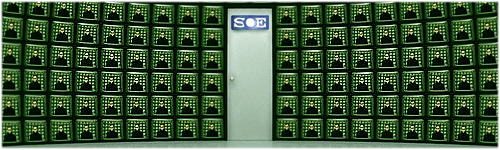
Bayamos wrote:
Almost all AVI codecs, like Divx, Xvid, Fraps, etc. are not supported by Adobe's native AVI deencoding.
You need to open your encoded video file in VirtualDUB and export it to Raw AVI (which will be quite big, depending on its size. You can only export selected sequences from a source file if you want, though, like [0:05.99 - 0:07.33]).
I don't know a whole lot about this computer stuff. Will I have VirtualDUB and/or Raw AVI on my computer already, or do I need to download it?
RAW just means without any form of compression/codec. You'll need to install VirtualDub and export to a raw avi. Once you've done that you should be able to open the file in ImageReady.
