NVIDIA Driver And MxO Feedback Thread.

14 posts · 2008-09-25 11:40:39 to 2009-04-19 13:01:27

#36300503066 09/25/2008 11:40:39 NVIDIA Driver And MxO Feedback Thread.

This is more of a informational post than question.  I plan to keep updating this as long as I play, with updates on the NVIDIA driver side and its compatibility with MxO.

(For techies: I use driver sweeper to remove all NVIDIA drivers before I install the latest (Uninstall, reboot, driver sweeper, reboot, install, reboot. (enable SLI, reboot if applicable.  All drivers listed are official release, non-beta, WQHL))

I have 2x 8800GTs, in SLi on the desktop, single 8600M GT in the Dell laptop.

Green: No problems with MxO
Orange: Some mixed issues in test results, read all notes.
Red: x_x


------------------------------------------------------------------------------

181.20 (Jan 08th 2009) Rating: 2 Stars
See 180.48

------------------------------------------------------------------------------

LAPTOPS ONLY
179.28 (Dec 18th 2008) Rating 5 Stars
Notes:
This is a reference driver that can be installed on supported NVIDIA GeForce notebook GPUs. However, please note that your notebook original equipment manufacturer (OEM) provides certified drivers for your specific notebook on their website. NVIDIA recommends that you check with your notebook OEM about recommended software updates for your notebook. OEMs may not provide technical support for issues that arise from the use of this driver.

Performance with XP:
This uncertified driver worked flawlessly with my Dell.

MxO XP:
Indoor issues are still gone.  Safe to say that the indoor lag issue has been sucessfully smited.

Performance with Vista:
Flawless.

MxO Vista:
Same Vista related issues are there.  Disable all shadows and antialiasing (check your useropts as well) and use this hotfix to remove most of the issues.

------------------------------------------------------------------------------

180.48 (Nov 19th 2008) Rating: 2 Stars
Notes:
Multimonitor SLi added to Vista.  Must be used on the same card (2 monitor only)

MxO XP:
SLi Mode - Random Errors.  System Locks up/BLUESCREEN.  If you use SLi, I personally wouldn't bother with this driver upgrade.
No SLi - No problems

Vista:
Do not have Vista atm
.

Misc: Other people in other games are having random bluescreens.  Most have SLi enabled. 
http://forums.nvidia.com/index.php?showtopic=82311
After reading online, it looks like it does not like my cards, but it probably would like the GTX200 series cards.  I cannot test that at this time.


------------------------------------------------------------------------------

178.13 (Sept 25th 2008) / 178.24 (Oct 15, 2008) Rating 5 Stars
Notes:
Adds support for NVIDIA PhysX acceleration on all GeForce 8-series, 9-series and 200-series GPUs with a minimum of 256MB dedicated graphics memory (this driver package installs NVIDIA PhysX System Software v8.09.04). 178.24 adds 9 series motherboards.

Performance with XP:
Framerate increase in several of my games, notably Crysis and Crysis Warhead

MxO XP:
Indoor issues are still gone.  Safe to say that the indoor lag issue has been sucessfully smited.

Performance with Vista:
TBA

MxO Vista:
Same Vista related issues are there.  Disable all shadows and antialiasing (check your useropts as well) and use this hotfix to remove most of the issues.

------------------------------------------------------------------------------

Custom modified driver so that it can be installed on laptops: Available upon request.  No need now, see above.

#36300504004 09/28/2008 19:36:11 Re:NVIDIA 178.13 Driver (Sept 25th 2008 Official Release) & MxO Feedback
LtCmdr_Tsusai wrote:
This is more of a informational post than question.

(For techies: I use driver sweeper to remove all NVIDIA drivers before I install the latest (Uninstall, reboot, driver sweeper, reboot, install, reboot. (enable SLI, reboot if applicable))

Notes:
Adds support for NVIDIA PhysX acceleration on all GeForce 8-series, 9-series and 200-series GPUs with a minimum of 256MB dedicated graphics memory (this driver package installs NVIDIA PhysX System Software v8.09.04).

Performance with XP:
Framerate increase in several of my games, notably Crysis and Crysis Warhead

MxO XP:
Indoor issues are still gone.  Safe to say that the indoor lag issue has been sucessfully smited.

Performance with Vista:
TBA Tonight.

MxO Vista:
TBA Tonight

Custom modified driver so that it can be installed on laptops: Available upon request.


Interesting, please let us know the results!

I run mXO on a Dell notebook, with a GeForce 8600M GT card that's built in.  The only things I have noticed are people's faces seem darkened, and screenshots are partially blackened unless I run the game on full-screen, which completely mystifies me.

#36300504124 09/29/2008 06:03:33 Re:NVIDIA 178.13 Driver (Sept 25th 2008 Official Release) & MxO Feedback
Thanks for reminding me. Dell's driver for notebooks are heavily outdated. If you're running Vista, you're seeing the crazy face issue. If you're running XP, I could probably write you up a updated driver.
#36300504462 09/29/2008 19:33:28 Re:NVIDIA 178.13 Driver (Sept 25th 2008 Official Release) & MxO Feedback

Thanks!  So I guess I should swing by the Nvidia site then.

#36300504471 09/29/2008 20:28:47 Re:Re:NVIDIA 178.13 Driver (Sept 25th 2008 Official Release) & MxO Feedback
sugaree wrote:

Thanks!  So I guess I should swing by the Nvidia site then.

If its for your laptop, they probably won't install (that way you ask Dell for them).  That's why I have to mod the drivers.
#36300523299 11/24/2008 18:30:27 Re:NVIDIA 178.13 Driver (Sept 25th 2008 Official Release) & MxO Feedback

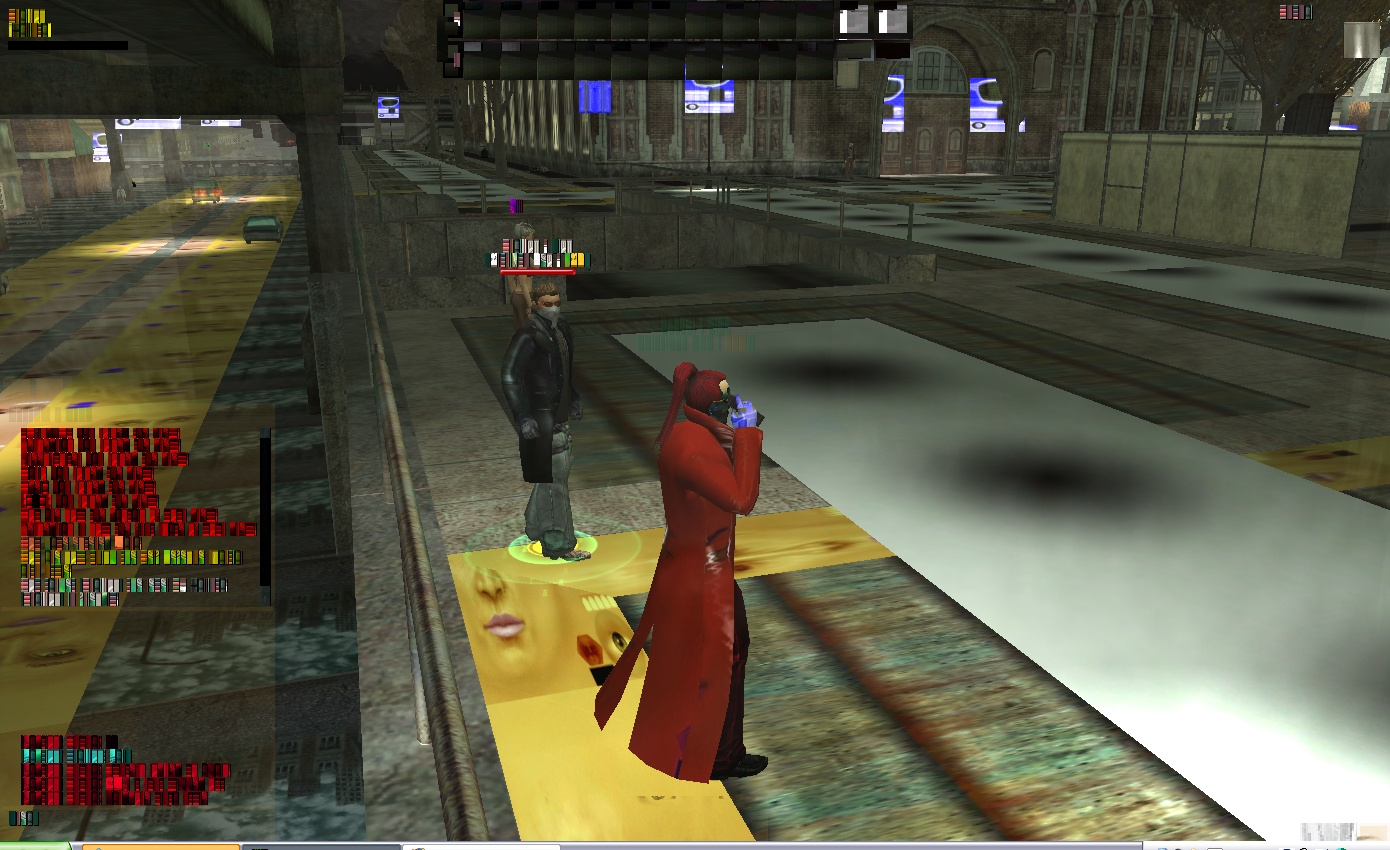
Added latest nvidia 180.48 Not looking too good

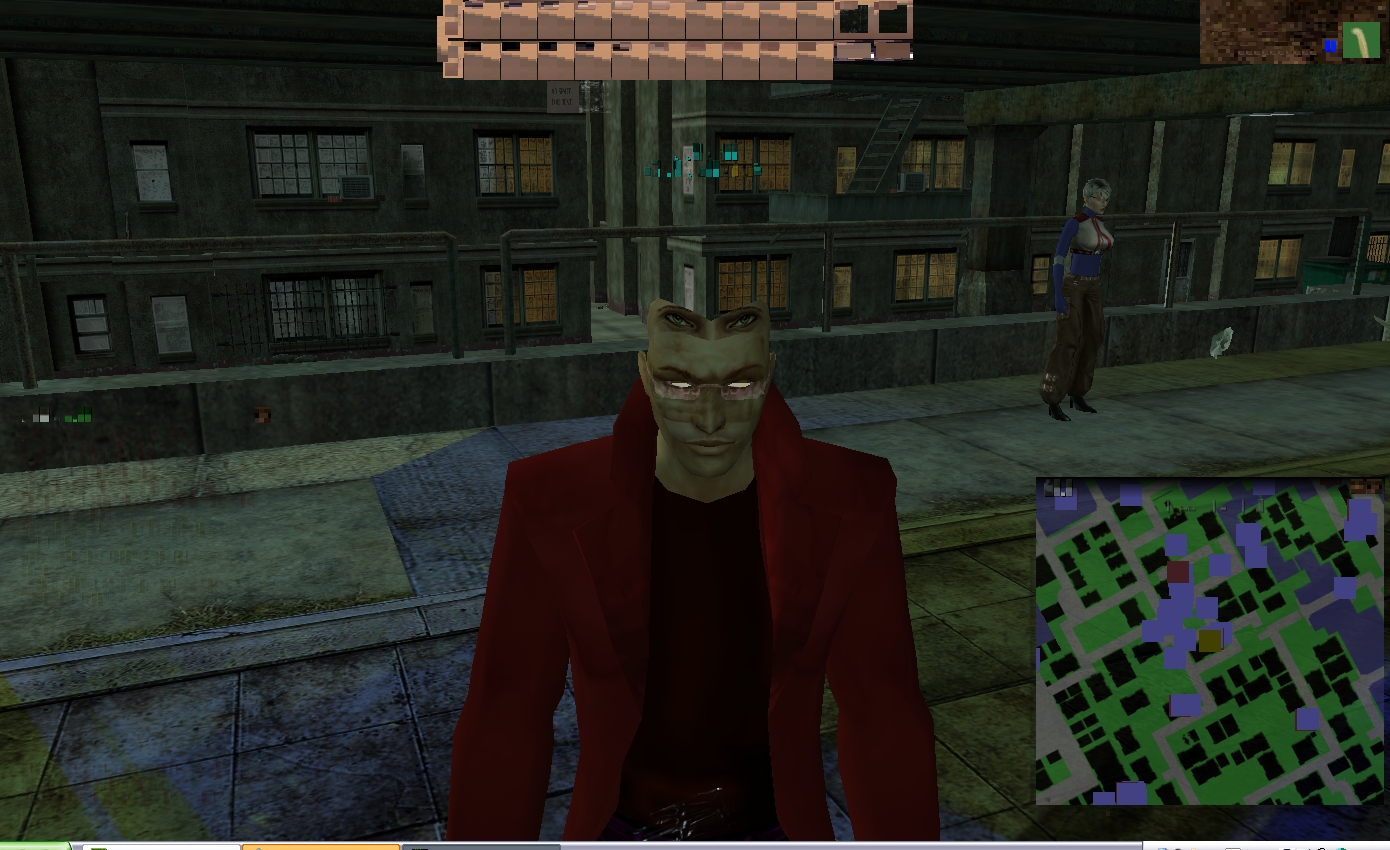
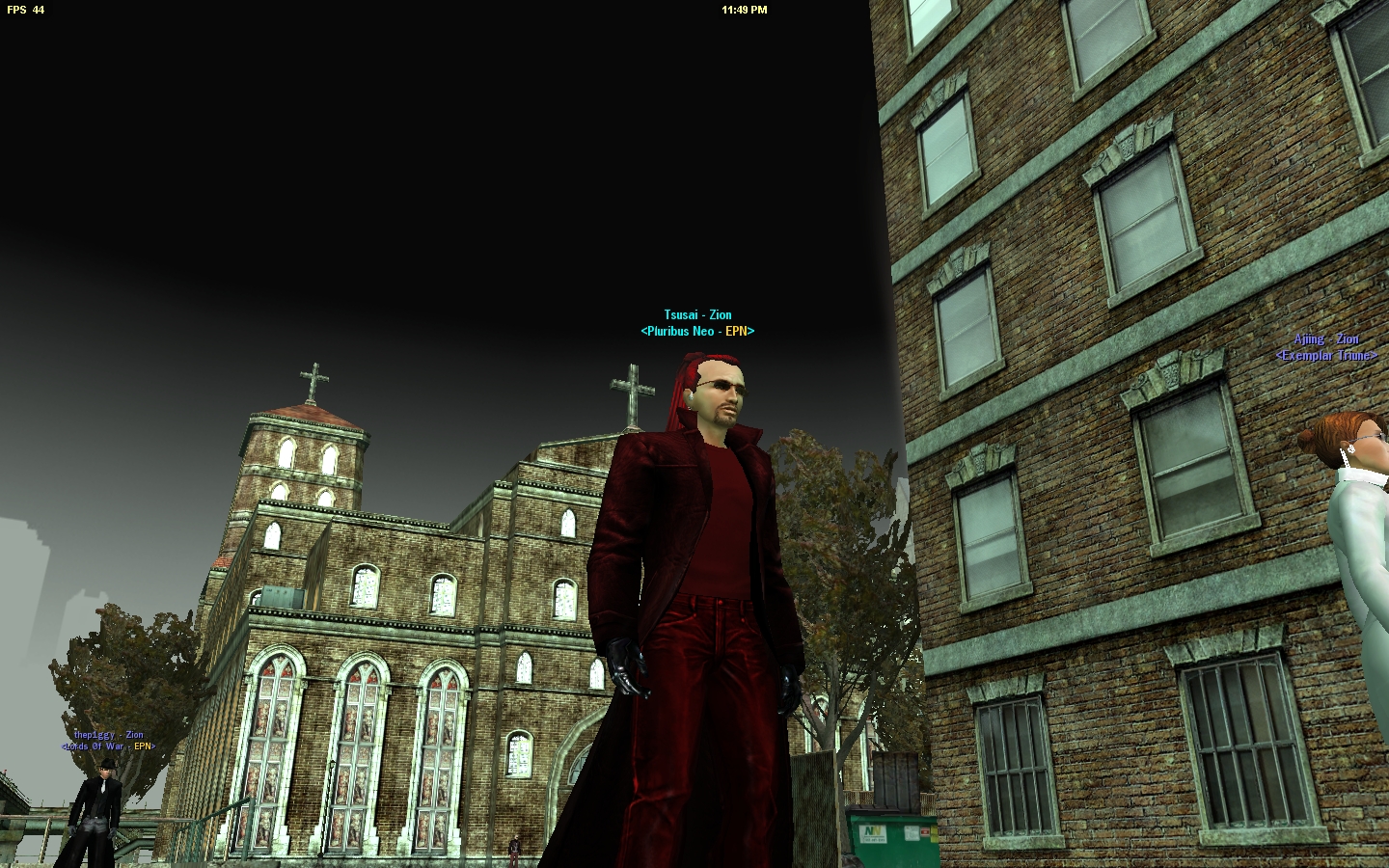
I actually SAW something and captured before I bluescreened on SLi.  Non-SLi works fine.

My Favorite:

#36300523541 11/25/2008 12:51:24 Re:NVIDIA Driver And MxO Feedback Thread.

Had your SLI set up worked with older drivers ever? or was this a new setup?

#36300523564 11/25/2008 13:40:13 Re:NVIDIA Driver And MxO Feedback Thread.

That second pic is pretty cool ... even if it is because of texture glitches.

#36300523616 11/25/2008 15:48:37 Re:Re:NVIDIA Driver And MxO Feedback Thread.

9mmfu wrote: (REGARDING 180.48)

Had your SLI set up worked with older drivers ever? or was this a new setup?

Yes, SLI has worked previously with official release WQHL drivers.  I purged my drivers from my system as always when upgrading (and downgrading back in this case).  I take care to make sure nothing conflicts.  After some research, even players in other games like WoW and others are bluescreening with 180.48 on SLi systems.

#36300523883 11/26/2008 09:37:53 Re:Re:Re:NVIDIA Driver And MxO Feedback Thread.

LtCmdr_Tsusai wrote:

9mmfu wrote: (REGARDING 180.4SMILEY

Had your SLI set up worked with older drivers ever? or was this a new setup?

Yes, SLI has worked previously with official release WQHL drivers.  I purged my drivers from my system as always when upgrading (and downgrading back in this case).  I take care to make sure nothing conflicts.  After some research, even players in other games like WoW and others are bluescreening with 180.48 on SLi systems.

I can have our compat lab look into it. However I need to stress that MxO was released before  SLI tech really was on the market and as such I am pretty sure we have never supported it. This doesn't mean we wont look into however.

#36300523903 11/26/2008 11:10:23 Re:Re:Re:Re:NVIDIA Driver And MxO Feedback Thread.

9mmfu wrote:

LtCmdr_Tsusai wrote:

9mmfu wrote: (REGARDING 180.48)

Had your SLI set up worked with older drivers ever? or was this a new setup?

Yes, SLI has worked previously with official release WQHL drivers. I purged my drivers from my system as always when upgrading (and downgrading back in this case). I take care to make sure nothing conflicts. After some research, even players in other games like WoW and others are bluescreening with 180.48 on SLi systems.

I can have our compat lab look into it. However I need to stress that MxO was released before SLI tech really was on the market and as such I am pretty sure we have never supported it. This doesn't mean we wont look into however.

I understand.  I doubt this driver (180.48) will be in the wild for long.  I've been doing some research, and it looks like there are some dev "my bads" in there, dealing with 2D clocks or something.  I added a link to the first post in the 180.48 section, where people are posting on the NVIDIA community boards about it bluescreening on their SLi systems.  If your folks can confirm SLi errors with it, that would be cool, as I don't have another SLi computer to test with.

Everything in the past has worked immaculately with MxO, except that indoor lag issue, and I can say this is a confirmed driver level issue, and not with MxO.  All I can recommend is asking CSRs not to recommend it when they say "get the latest driver".

#36300532364 12/30/2008 11:32:26 Re:NVIDIA Driver And MxO Feedback Thread.

Almost end of year update!

Regarding 180.48 driver. From reading various forums online, it seems that the driver really doesn't like 8 series cards, and not the cards released after that such as the GTX 2## cards. Unfortunatly I don't have those to test with.

Laptop Users!!!!
NVIDIA has released a set of laptop drivers, compatible with Dell, HP, Toshiba, etc etc etc laptops, since like Dell, they are slow as molasses to crank one out. The version is 179.28, and is marked as a Beta (yet available on their frontpage lol), however it is stable on my Dell and I have 0 issues with it and MxO. Guess I can stop making modded drivers ^^

#36300536790 01/20/2009 10:56:09 Re:NVIDIA Driver And MxO Feedback Thread.

January 181 don't give me much luck either on XP SLi.  OS locked up alot.

BTW I WANT THE SHIRT.

#36300554969 04/19/2009 13:01:27 Re:NVIDIA Driver And MxO Feedback Thread.

Still have had no luck with the latest certified NVIDIA 182 drivers.  Same BS.

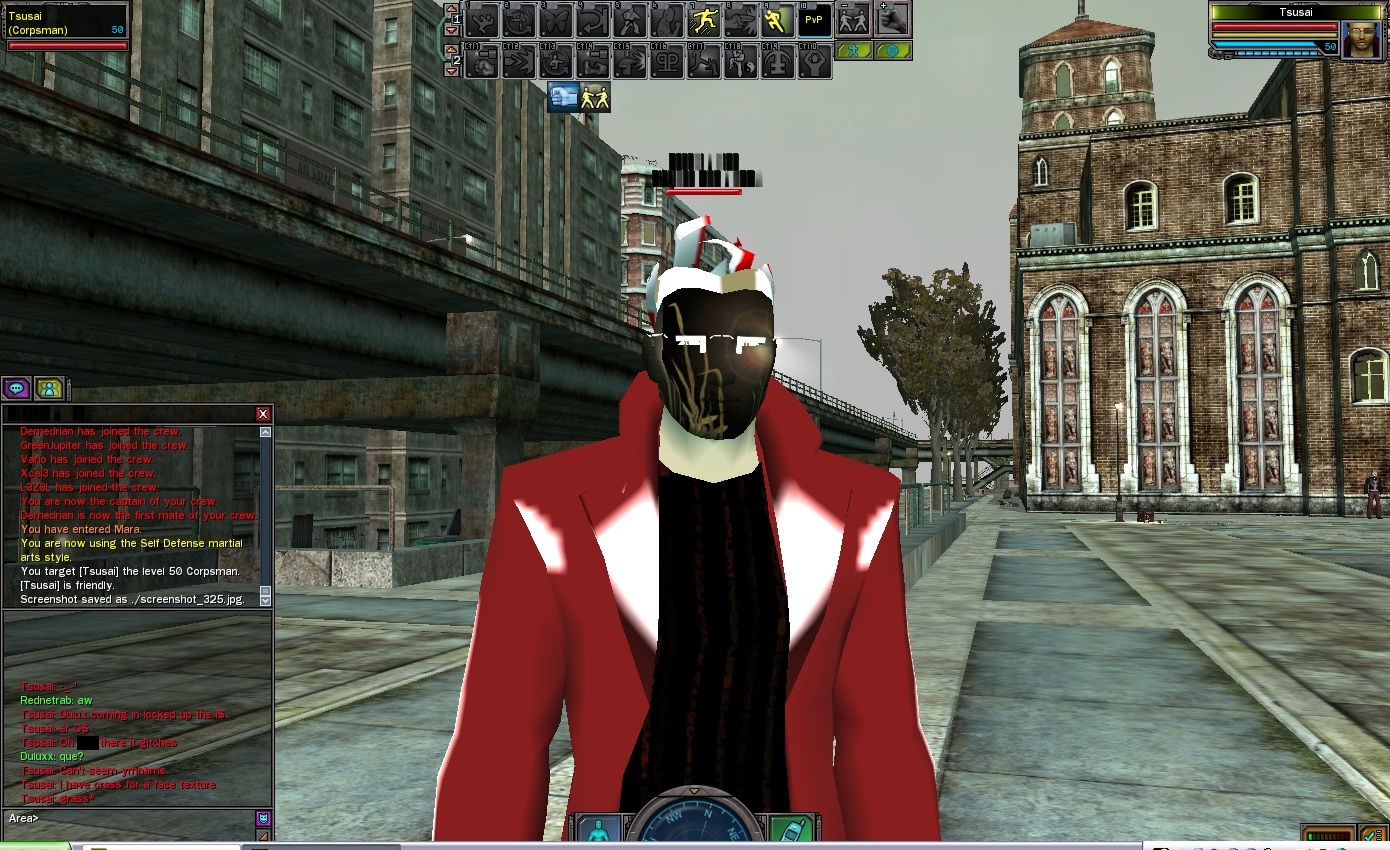
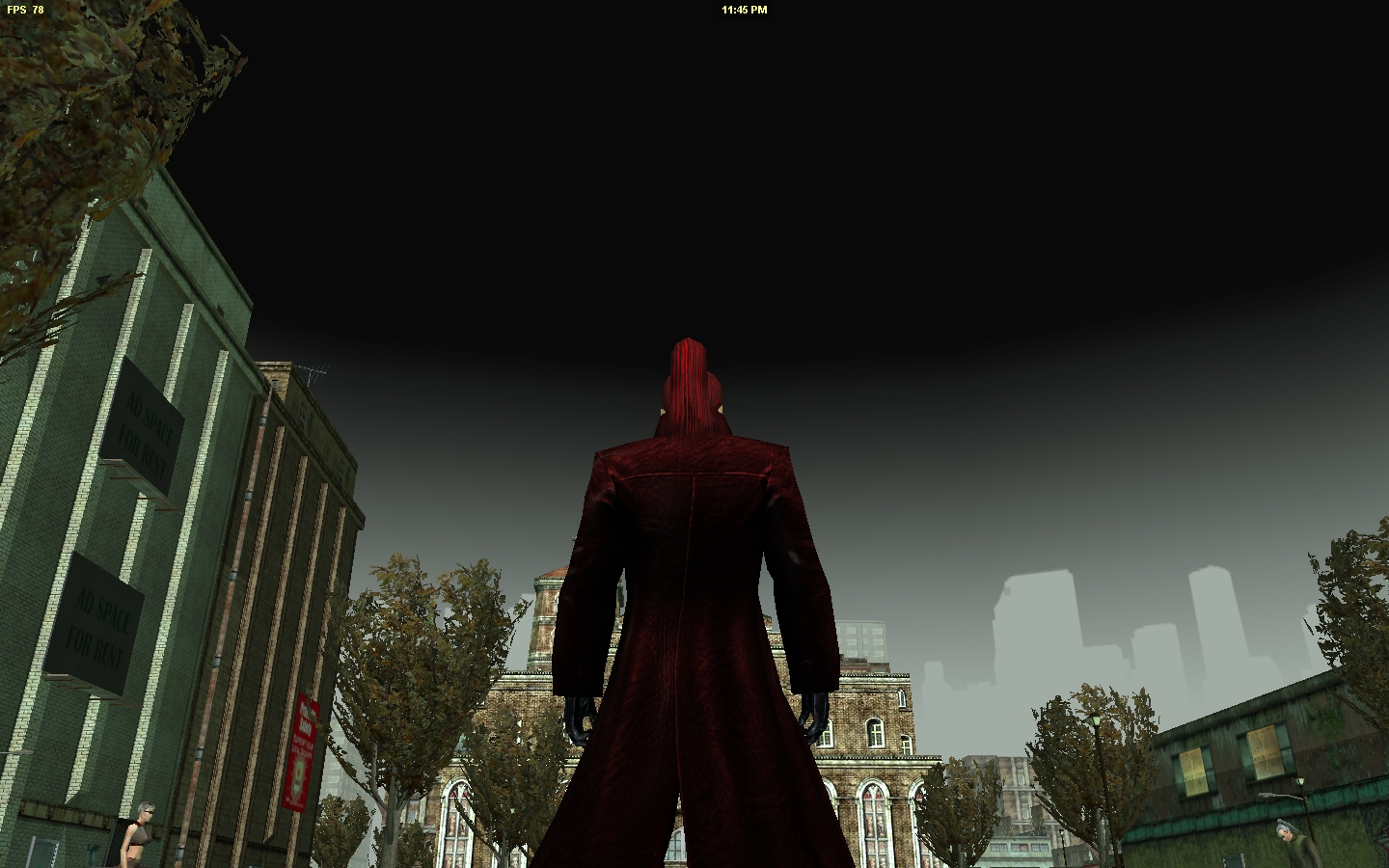
However, I'm looking at the 185 betas with interest.  185.66 ran great with the side exception of removing the game skybox (Sati's sky looked like 01), and had some...vista dynamic light...things to it.  My red trea glasses were a noticable one.  The frames were really red, and the lenses were high gloss and darker.  Nvidia released a patch a few days later, 185.68, for Riddick, but it also looks like it fixed the above issues (I installed this one without clearing off 185.6SMILEY.

185.66's removal of skybox