Modellighting & Vista face issue (possible hotfix, please test)
20 posts · 2008-09-19 09:13:33 to 2008-09-23 11:44:35
#3630050090009/19/2008 09:13:33Modellighting & Vista face issue (possible hotfix, please test)
Was toying with this, and the command doesn't seem to affect the face. The rest of the body is fine, but the face still has dynamic lighting. I moved around to some darker spots, and it looks like the camera light (you know, you light up like 3m in a radius around you) is what's making the face change. *It doesn't seem like anyone is posting in the support anymore with them all folded and tucked away*
#3630050095509/19/2008 12:23:17Re:Modellighting & Vista face issue
If that was the case then it wouldn't show up during the day, or indoors, and
PlayerFX_LightPool_Bright_Scale = 0
would fix it. I kind of thought it was something else, though.
#3630050099009/19/2008 13:30:52Re:Re:Modellighting & Vista face issue
Rarebit wrote:
If that was the case then it wouldn't show up during the day, or indoors, and
PlayerFX_LightPool_Bright_Scale = 0
would fix it. I kind of thought it was something else, though.
THAT DID IT!!! I DON'T HAVE THE FACIAL SHADING BUG
Used the old XP fix (modellighting) and added the above! *goes to find another person w/ Vista to confirm*
Edit: more testing PlayerFX_LightPool_Bright_Scale = 0 removes alot by itself, and the face effects are alot more subtle. Only thing remaining it looks like is maybe...the sun? I dunno, I'll play with that more later on!
WHOO
#3630050099609/19/2008 13:45:50Re:Modellighting & Vista face issue
Hmm... Well, if that really does do it, it would be pretty sweet as a workaround, anyway. I'd like to hear from more people who try this.
I tend to run with that in my useropts anyway, just to avoid the "night light" effect it gives to screenshots.
#3630050153209/21/2008 17:52:32Re:Modellighting & Vista face issue (possible hotfix, please test)
I was fiddling with the useropts file and turning off the anti-aliasing bs seems to have reduced the texture glitches i've encountered via vista.
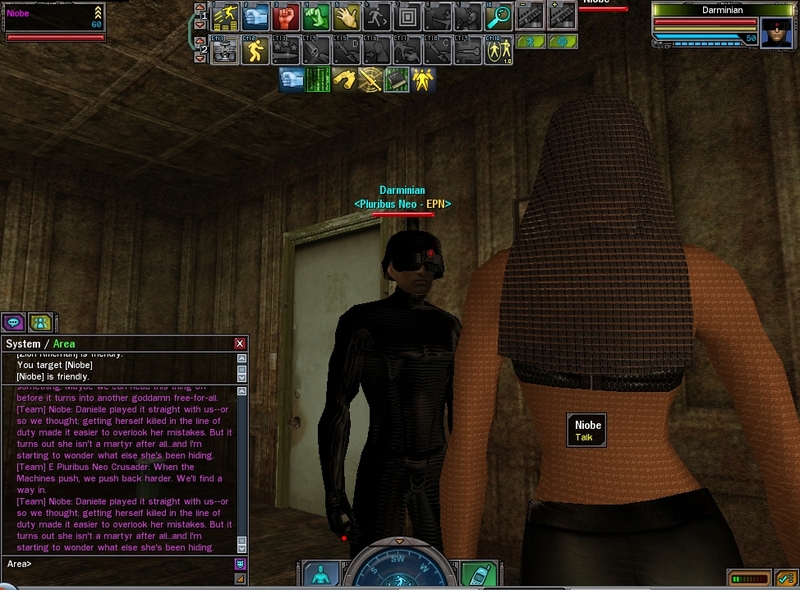
Moreover the dynamic effects lighting code listed above removes the rediculous affects vista users were enduring, no longer does it look like i'm an evil villain with cascaded darkness across 3/4's of my face. Thank you Tsusai.
~Darminian
#3630050153809/21/2008 18:29:02Re:Modellighting & Vista face issue (possible hotfix, please test)
Ooooh, I need to test this on my Vista machine when I get home.
#3630050154109/21/2008 18:37:23Re:Modellighting & Vista face issue (possible hotfix, please test)
Heh! Good one Tsu Those late night chats pays off, lol. Now you still need to crack the one so we can have a FPS when we run around normally Move the camera in front of you instead of behind, we're talking 1 meter tops! And on static camera with mood regal on the female model it's all good for standing around in FP. Just want to freefire in pvp too Can't wait for Headless mask, it makes it possible.
#3630050157009/21/2008 22:08:58Re:Modellighting & Vista face issue (possible hotfix, please test)
Actually the other issue im encountering is that i can't take screenshots in windowed mode, whenever i do they either come out all black, or 4/5's of the bloody image are black and it leaves me with a square border, i don't know why this happens save for the fact that im usually playing another game with mxo.
~Darminian
#3630050157809/21/2008 23:04:26Re:Modellighting & Vista face issue (possible hotfix, please test)
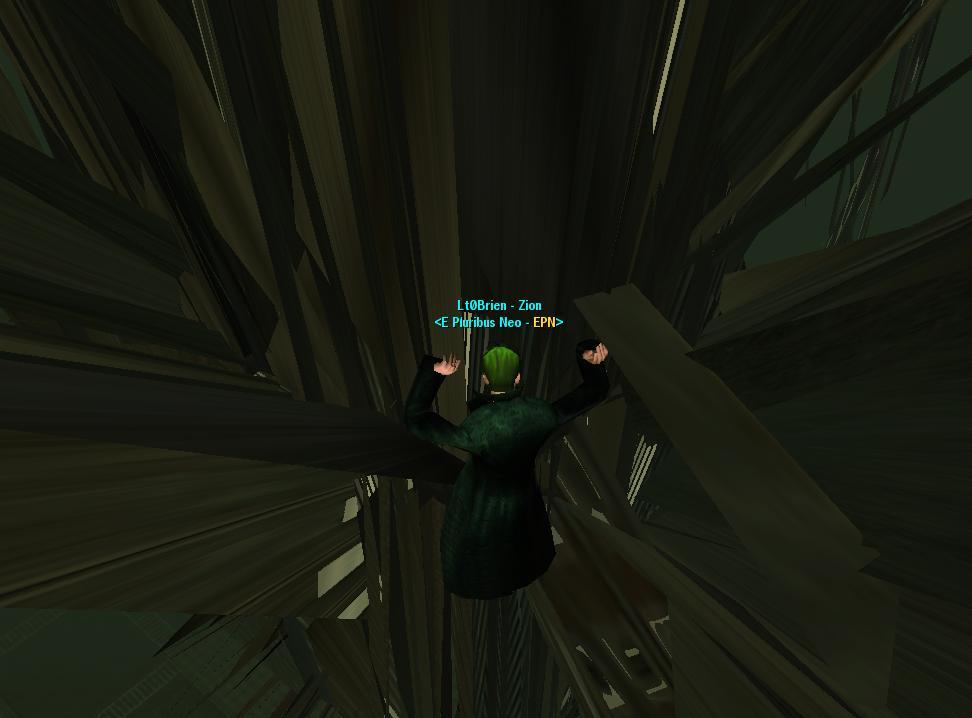
This is an example of one of the texture glitches i'll get, some stuff in the background will get messed sometimes, othertimes it's just people - but it really gets wonky.
#3630050158609/21/2008 23:45:48Re:Modellighting & Vista face issue (possible hotfix, please test)
Yea that's the same thing I see at certain angles
#3630050164009/22/2008 05:47:38Re:Modellighting & Vista face issue (possible hotfix, please test)
turning off all shadows got rid of that for me, when i saw that all around Mara C
#3630050164909/22/2008 06:53:46Re:Modellighting & Vista face issue (possible hotfix, please test)
Suppose that's another solution i'll have to investigate.
~Darminian
#3630050165009/22/2008 07:06:49Re:Modellighting & Vista face issue (possible hotfix, please test)
must test later
#3630050169209/22/2008 09:58:55Re:Modellighting & Vista face issue (possible hotfix, please test)
Has anyone ever found a way around the weird effects you get when you combine certain clothing types (short shirts with a coat overtop for the ladies, for example)? Other than just not wearing those outfits?
#3630050176509/22/2008 13:01:54Re:Modellighting & Vista face issue (possible hotfix, please test)
For my Vista glitches, with repeating textures on hair/bodies/faces I seem to have it fixed with "Run as XP SP2" lately. Though the shadows, and awkward Buildings are following me glitches They seem to continue.
If you can't tell, that is a Giant Grass Particle... Apparently my glitches have the Grass size becoming Building size... to fix it I jsut get rid of grass detail... though thats not fun... If I find my Youtube account password then Ill upload the video of the Building that was chasing me in Tabor.
#3630050176709/22/2008 13:16:19Re:Modellighting & Vista face issue (possible hotfix, please test)
So that's how you fix the face lighting thing. And here I was getting used to having the upper half of my forehead shine so brilliantly.
#3630050183009/22/2008 15:28:26Re:Re:Re:Modellighting & Vista face issue
LtCmdr_Tsusai wrote:
Rarebit wrote:
If that was the case then it wouldn't show up during the day, or indoors, and
PlayerFX_LightPool_Bright_Scale = 0
would fix it. I kind of thought it was something else, though.
THAT DID IT!!! I DON'T HAVE THE FACIAL SHADING BUG
Used the old XP fix (modellighting) and added the above! *goes to find another person w/ Vista to confirm*
Edit: more testing PlayerFX_LightPool_Bright_Scale = 0 removes alot by itself, and the face effects are alot more subtle. Only thing remaining it looks like is maybe...the sun? I dunno, I'll play with that more later on!
WHOO
The facial issues are still back when I add that line to useropts.. hm. whats the Old Xp Fix
#3630050203109/22/2008 22:26:58Re:Re:Re:Re:Modellighting & Vista face issue
Tranque101 wrote:
LtCmdr_Tsusai wrote:
Rarebit wrote:
If that was the case then it wouldn't show up during the day, or indoors, and
PlayerFX_LightPool_Bright_Scale = 0
would fix it. I kind of thought it was something else, though.
THAT DID IT!!! I DON'T HAVE THE FACIAL SHADING BUG
Used the old XP fix (modellighting) and added the above! *goes to find another person w/ Vista to confirm*
Edit: more testing PlayerFX_LightPool_Bright_Scale = 0 removes alot by itself, and the face effects are alot more subtle. Only thing remaining it looks like is maybe...the sun? I dunno, I'll play with that more later on!
WHOO
The facial issues are still back when I add that line to useropts.. hm. whats the Old Xp Fix
#3630050218309/23/2008 11:19:26Re:Modellighting & Vista face issue (possible hotfix, please test)
Oh my, it does seem to work. This should increase my screenshot capabilities very much. This should be stickied I believe for future reference.
#3630050219109/23/2008 11:44:35Re:Modellighting & Vista face issue (possible hotfix, please test)
Also the point about the shadows being turned off - that seems to have fixed it aswell Tsusai, your proving to be quite the vista mxo tech support, thanks.


 Those late night chats pays off, lol. Now you still need to crack the one so we can have a FPS when we run around normally
  Move the camera in front of you instead of behind, we're talking 1 meter tops! And on static camera with mood regal on the female model it's all good for standing around in FP. Just want to freefire in pvp too
  Can't wait for Headless mask, it makes it possible.