17 posts · 2008-06-13 13:27:36 to 2008-06-19 11:52:39
#3630046728806/13/2008 13:27:36A bit of assistance please
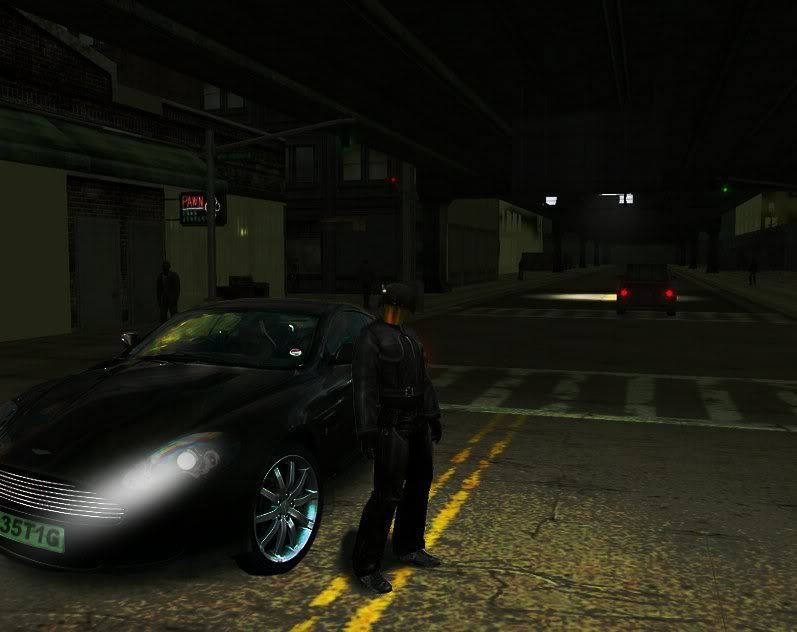
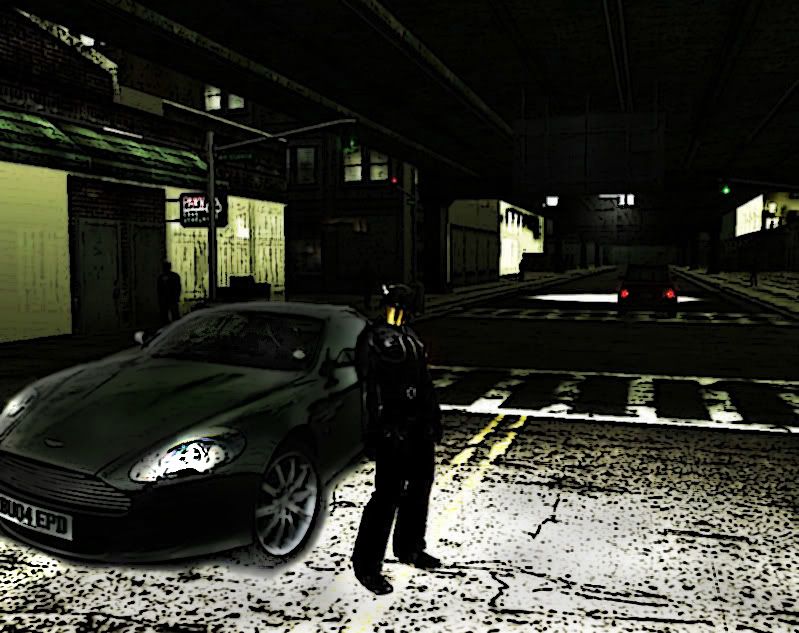
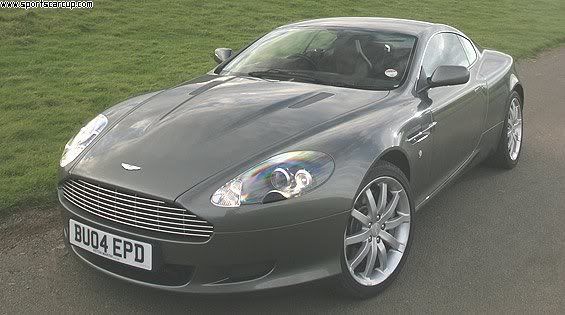
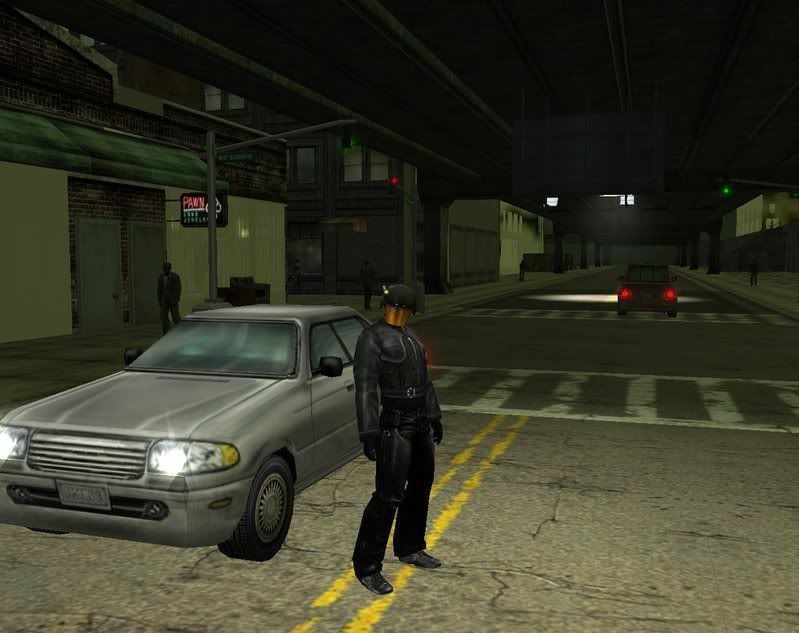
I have played about with this screen and spent ages trying to get the car to look the correct colours but to me it sill looks out of place, i was wondering if anyone was able to make it fit in better? i have got bored of trying things to be honest, spent long enough removing and fixing reflections from the car, and enhancing the background.
#3630046735106/13/2008 18:00:32Re:A bit of assistance please
I think the problem might be that the shadowing underneath the car is too 'fuzzy' when the rest of your image has a super-sharpened quality to it. I guess the easiest way to match them would be to slightly blur the image underneath (and then maybe history brush away the parts you want to be 'in focus'. You could also try darkening the vehicle and adding a little green tint to it to get it to match that Matrixy ambiance.
A car that shiny is going to give you problems because of all the reflection work involved in making it 'fit the scene', anyway. I'm not sure that there's an easy fix for that, but you can dull the effect of the reflection by darkening the car a bit and brushing away the darkness on places you still want to shine. That will draw the eye away from the reflections, and also give you some of that high-contrast that the rest of your image is using.
- Void
Recursion:n - See Recursion.
#3630046741506/13/2008 21:55:32Re:A bit of assistance please
I'm no pro... but I made an attempt phor ya. =) Just wanted to see what I could do. (and I turned the head lights on phor ya too)
#3630046755106/14/2008 11:57:15Re:A bit of assistance please
EndlessVoid wrote:
I think the problem might be that the shadowing underneath the car is too 'fuzzy' when the rest of your image has a super-sharpened quality to it. I guess the easiest way to match them would be to slightly blur the image underneath (and then maybe history brush away the parts you want to be 'in focus'" />. You could also try darkening the vehicle and adding a little green tint to it to get it to match that Matrixy ambiance.
A car that shiny is going to give you problems because of all the reflection work involved in making it 'fit the scene', anyway. I'm not sure that there's an easy fix for that, but you can dull the effect of the reflection by darkening the car a bit and brushing away the darkness on places you still want to shine. That will draw the eye away from the reflections, and also give you some of that high-contrast that the rest of your image is using.
- Void
Yeah the main problem, i have is that its a REAL item and i'm trying to add it to a virtual world, and the reflections are a nightmare. i have toned them down quite a bit and tried to make it look like there is a street lamp just off camera and yeah i agree that the part that looks most out of place are the shadows underneath and around the tyre to the bottom right. Thanks fo ryour input i will try then suggestions.
Thanks phor the attempt phluff i like the head lights i didnt get to that point, it was in the pipe line but phell by the wayside when i could'nt get it to blend nicely then in set phrustration. I'm still not sure it looks like it phits though. but you have given me a few idea's
(i hope that doesn't come across ungrateful)
#3630046757406/14/2008 13:56:38Re:A bit of assistance please
Can you please post the two separate images maybe so that would be much easier to edit them in PS.
#3630046762906/14/2008 18:20:14Re:A bit of assistance please
For the light surrounding the character and the darkness beyond that pool of light, you might want to have him cast a shadow, as well.
#3630046770006/15/2008 01:27:36Re:A bit of assistance please
mantra777 wrote:
Can you please post the two separate images maybe so that would be much easier to edit them in PS.
sure.
im guessing you want the original screen too?
#3630046826606/17/2008 02:57:07Re:A bit of assistance please
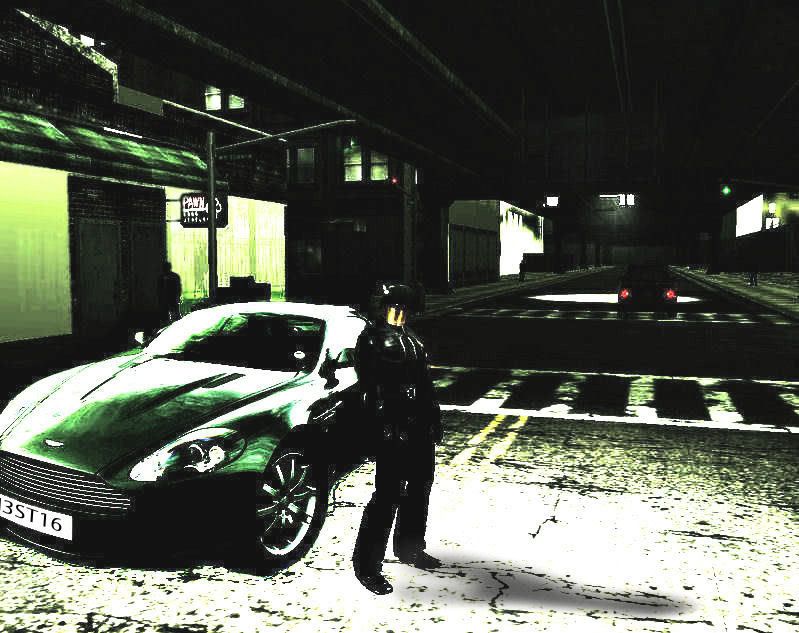
With your inputs i have reworked it to get to this:
I have decided not to have the headlights on, its parked and i have added a personalised number plate to the car as my RSI is called The Stig so doing alpha numerical TH3ST16.
Im happy with it now i think it looks smart and matches the matrix colour scheme. Thank you for your inputs, but still feel free to have a play with them if you wish.
#3630046899106/19/2008 00:14:53Re:A bit of assistance please
The Problem with the reflection on that real car was that it's reflecting the sky thus no matter what you do to it, it will still be too bright. Then you're masking both images when you start editting it. Start with the car and eliminate that sky reflection (as what I did here) first, then work on the MxO screenie to make it as close to the real car edit. Basically what i did is copy the underneath of the highway above (2 layers) and use that as the reflection for the car.
#3630046899206/19/2008 00:33:48Re:A bit of assistance please
mantra777 wins again!
#3630046899306/19/2008 00:36:22Re:A bit of assistance please
Très bien mantra!
That's an interesting and effective method to take the highway and use that as the reflection, i hadn't though of that even more stuff for me to try and incorperate into editing, i really need to get Photo shop too im sure there are tools on there that would help me.
Mine is probably a bit too bright but i was working on the idea that there was a street lamp just off camera to the left (hence shadow location)
#3630046899706/19/2008 00:56:02Re:A bit of assistance please
No problemo, Mattku.
Just wondering, What photo editting software are you using???
P.S. Thanks Phi.
#3630046899906/19/2008 01:03:32Re:A bit of assistance please
mantra777 wrote:
No problemo, Mattku.
Just wondering, What photo editting software are you using???
Paint Shop Pro 10
#3630046904106/19/2008 06:35:20Re:A bit of assistance please
Now thats PIMP MY RIDE with a difference!
______________________________ The Problem is Choice_______________________________
#3630046904306/19/2008 06:46:49Re:A bit of assistance please
Ra2za wrote:
Now thats PIMP MY RIDE with a difference!
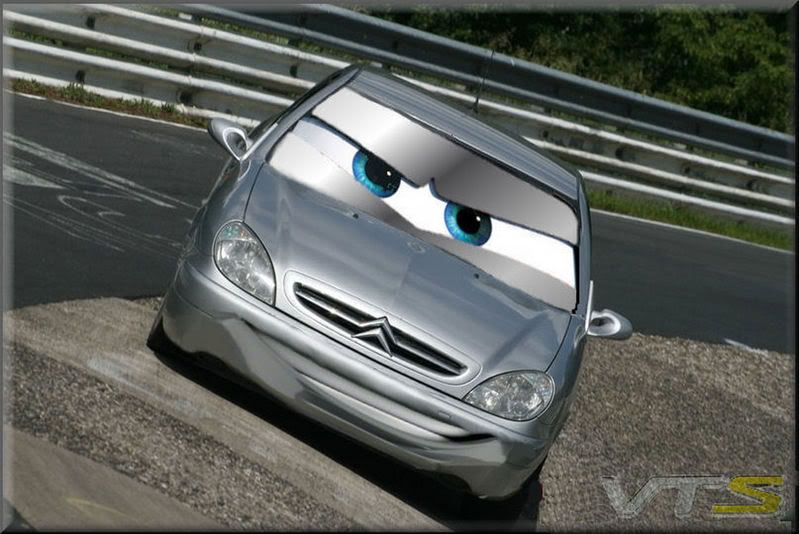
Na this is pimp my ride with a difference
If you have not seen CARS then shame on you!
NURBURGRING FTW!
#3630046907906/19/2008 10:40:07Re:A bit of assistance please
mantra777 wrote:
The Problem with the reflection on that real car was that it's reflecting the sky thus no matter what you do to it, it will still be too bright. Then you're masking both images when you start editting it. Start with the car and eliminate that sky reflection (as what I did here) first, then work on the MxO screenie to make it as close to the real car edit. Basically what i did is copy the underneath of the highway above (2 layers) and use that as the reflection for the car.
ok, I'm bummed out now... way to make me look REALLY bad! =P
That is sooooooooooooooooooooo phull of win!
/phormalcurtsey
/thumbsup
#3630046910206/19/2008 11:52:39Re:A bit of assistance please
you look extreamly tiny standing next to the car. Those cars are only about 4 ft tall if even that much, so yea... you look really tiny.



 . You could also try darkening the vehicle and adding a little green tint to it to get it to match that Matrixy ambiance.



 and i have added a personalised number plate to the car as my RSI is called The Stig so doing alpha numerical TH3ST16.