Screenshot quality.

14 posts · 2008-05-13 02:00:33 to 2008-05-13 18:05:06

#36300454043 05/13/2008 02:00:33 Screenshot quality.
I've got a problem, though only slight.

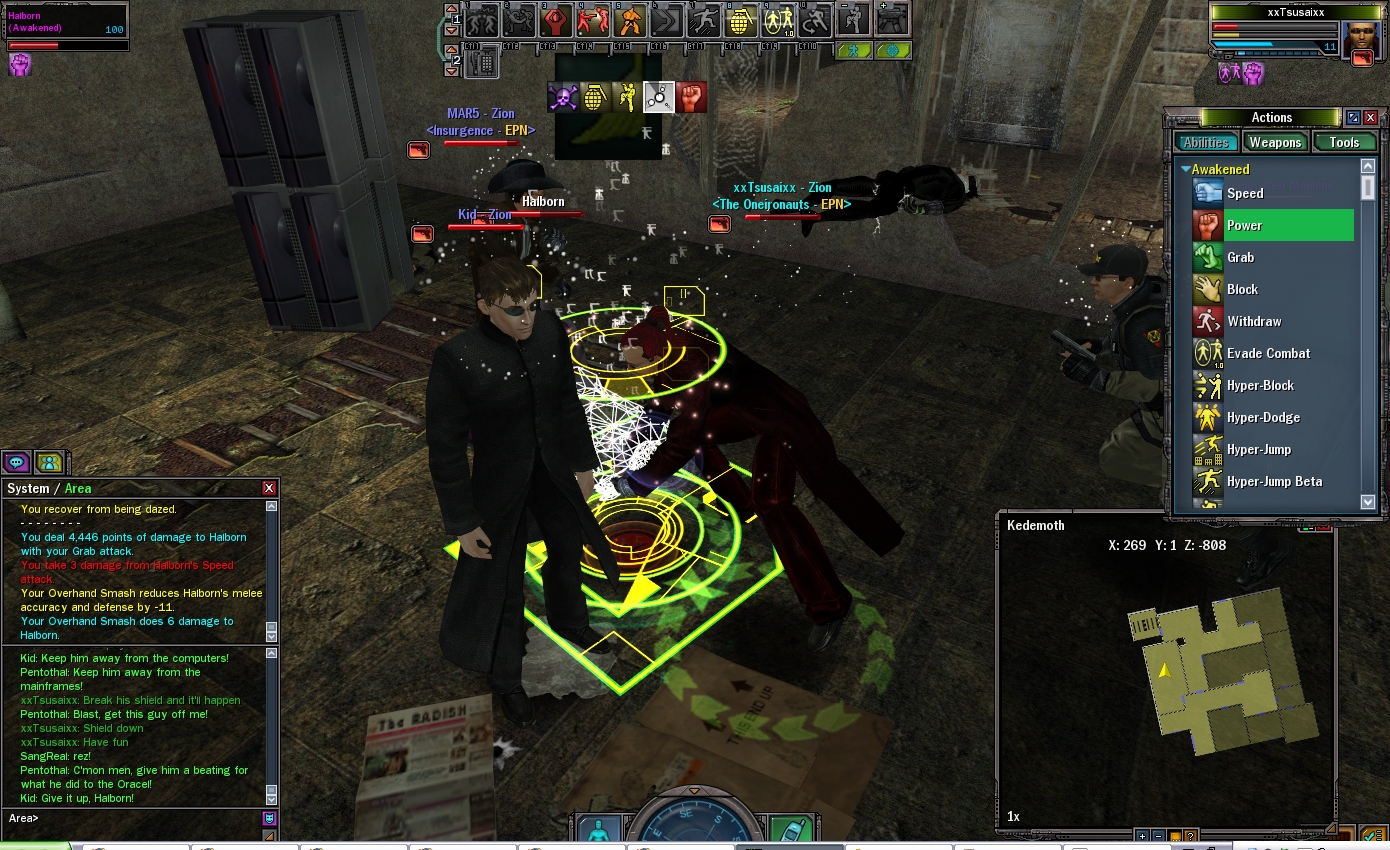
I recently upgraded to an nVidia 8800GTX GFX Card, and the game just looks simply amazing.  [Minus when I have the work around for the 8xxx problem of course].  The only problem is, this doesn't translate to my screenshots.  In game it's like - "Whoa!"  In Photoshop it's like - "*CENSORED*..."

Is there a way to upgrade the quality your screenshots are taking?  Am I doing something wrong?

Also; I'm only running at 1024x768 [I need a new monitor next, anyone got spares? SMILEY].  So if this is the case, then I'm screwed for a bit SMILEY.

Cheers,
KanoRain
#36300454091 05/13/2008 05:36:23 Screenshot quality.
Give this a shot in useropts.

ScreenShot_JPG_Quality = 100
#36300454097 05/13/2008 05:49:03 Re:Screenshot quality.
Tsusai to the rescue once again.  You are indeed a hero.  
#36300454189 05/13/2008 10:42:41 Re:Screenshot quality.
Or you could just take your screens as BMPs by holding Shift while you press F12.  Just be warned that taking BMP screens doesn't work quite right if you're running in Windowed mode.
#36300454262 05/13/2008 13:21:23 Re:Screenshot quality.
Should I do ScreenShot_BMP_Quality = 100 in the useropts as well?
#36300454268 05/13/2008 13:35:59 Re:Screenshot quality.
KanoR wrote:
Should I do ScreenShot_BMP_Quality = 100 in the useropts as well?
No, there is no variable by that name. BMPs are uncompressed, so they don't have any quality loss. Keep in mind that even at quality=100, there is still some loss of detail with JPGs, especially in red colors.

#36300454280 05/13/2008 13:53:47 Re:Screenshot quality.
Rarebit wrote:
KanoR wrote:
Should I do ScreenShot_BMP_Quality = 100 in the useropts as well?
No, there is no variable by that name. BMPs are uncompressed, so they don't have any quality loss. Keep in mind that even at quality=100, there is still some loss of detail with JPGs, especially in red colors.


I thought it was just me that noticed!

#36300454289 05/13/2008 14:15:15 Re:Screenshot quality.
Rarebit wrote:
KanoR wrote:
Should I do ScreenShot_BMP_Quality = 100 in the useropts as well?
No, there is no variable by that name. BMPs are uncompressed, so they don't have any quality loss. Keep in mind that even at quality=100, there is still some loss of detail with JPGs, especially in red colors.


so then what command do you have in your user opts for picture quality ? just currious
#36300454315 05/13/2008 14:50:37 Re:Screenshot quality.
nubious81 wrote:
Rarebit wrote:
KanoR wrote:
Should I do ScreenShot_BMP_Quality = 100 in the useropts as well?
No, there is no variable by that name. BMPs are uncompressed, so they don't have any quality loss. Keep in mind that even at quality=100, there is still some loss of detail with JPGs, especially in red colors.


so then what command do you have in your user opts for picture quality ? just currious
I take screenshots in BMP format and batch-convert them to JPGs later.

The other thing I do is crank up anti-aliasing:

http://forums.station.sony.com/mxo/..._id=11400023786


#36300454373 05/13/2008 17:27:08 Re:Screenshot quality.
Texture quality affects the way your hair looks.

As for the .JPG screenshots... I swapped my key bindings so that shift-F12 is .jpg and F12 is .bmp

4MB per screenshot :/
phiAU - The Kings of Never - noblesse oblige
#36300454374 05/13/2008 17:29:49 Re:Screenshot quality.
KanoR wrote:
Ah thank you so much, RB.  I was wondering why everyone else's hair looked so much better SMILEY<img mce_tsrc=" />.

Edit: I lied, my hair still looks bad :\.

It looks matted, but for everyone else's screenies, it has detail.

What can I do to fix that problem?

That looks pretty normal, actually. If you're looking at hair in people's sigs and things, they often use an imaging program to draw individual hairs and stuff.

#36300454375 05/13/2008 17:34:37 Re:Screenshot quality.
phi wrote:
Texture quality affects the way your hair looks.

As for the .JPG screenshots... I swapped my key bindings so that shift-F12 is .jpg and F12 is .bmp

4MB per screenshot :/
I had mine that way for a while, the drawback is that if your Walk key is left on the default Shift key, then you'll be taking JPGs if you try to take screenshots while walking. Now I just leave JPG screenshot unmapped.

#36300454384 05/13/2008 18:05:06 Re:Screenshot quality.
Rarebit wrote:
phi wrote:
Texture quality affects the way your hair looks.

As for the .JPG screenshots... I swapped my key bindings so that shift-F12 is .jpg and F12 is .bmp

4MB per screenshot :/
I had mine that way for a while, the drawback is that if your Walk key is left on the default Shift key, then you'll be taking JPGs if you try to take screenshots while walking. Now I just leave JPG screenshot unmapped.


Or you could do what I did...
WASD = run
Cursor Arrows = walk
phiAU - The Kings of Never - noblesse oblige