

VPU Recovery

3 posts · 2007-06-30 12:21:36 to 2007-06-30 21:00:57

#36300271999 06/30/2007 12:21:36 VPU Recovery

This is something that is graphically nothing to do with MXO as the problem itself but i can tell you its triggered by The Matrix. It has happened before several times and in different places; normally but not restricted to the dungeon's. I can pin point the reccuring spot where my "VPU is forced to do a recovery", i have had this happen in the same spot four times. Note the game doesn't crash it stays open often flicking from a black screen to the game. That said, on the odd occasion it doesn't successfully recover and i lose all Graphic capability (running MXO causes a "Client.dill" problem; graphically connected - i'll post a screen shot of the Warning)

Here is the "VPU recover" dialogue box:
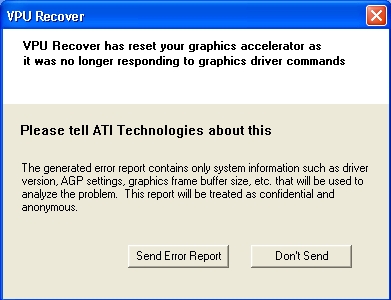
I've tried searching for a new update but as far as i can tell there isnt a new one. My graphics care is an ATI Radeon 9200 i'll post my bios in a minute when i can get them.
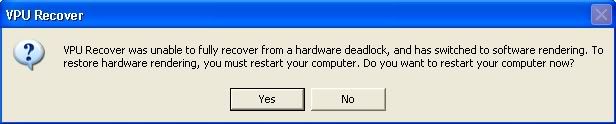

#36300272010 06/30/2007 12:33:57 Re:VPU Recovery

Testing it again i managed to get 2 consecutive crashes afterwhich i recieved a complete fail of graphics again. Here is the dialogue box:

#36300272268 06/30/2007 21:00:57 Re:VPU Recovery

*** Read before posting ***

Read it. Do it.

Also where is this location that keeps triggering the problem? It possibly has something to do with the number of items in view.

Thirdly have you altered either the useropts.cfg or options.cfg files?

I know (and I can prove it) that if you turn up your graphics setting past max (via the .cfg files) the game engine crashes in the right circuimstances.

EG: if you were you use the .cfg files provided by the Bazman sisters at the 4x setting, then activate targeted hyperjump and zoom out... 8 times out of 10 you will crash in Richland.

phiAU - The Kings of Never - noblesse oblige