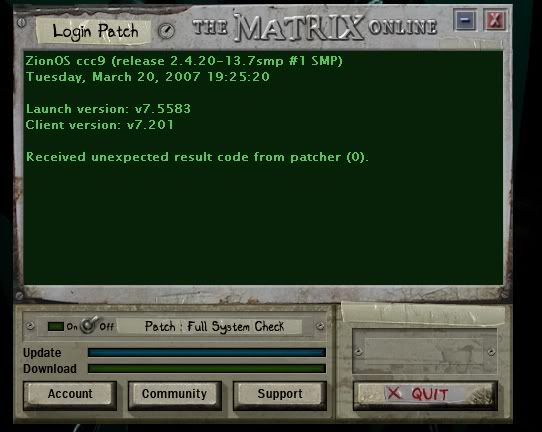
Just re-installed and i cant log in for patch as it doesnt get by the
Launch Version:
Client Version:
It stops at that
Am i missing something???
Launch Version:
Client Version:
It stops at that
Am i missing something???


48 posts · 2007-02-20 12:42:23 to 2007-03-22 14:47:35
You always require a firewall. It is like having a bouncer at every door to your house. Just because you're in the kitchen or only mowing the back lawn doesn't mean someone won't try to pick the lock on the front door. The mere act of being connected to the internet exposes you to attacks. Browsing the internet is like sticking mail through the mail-slot in the door
There is an update required for the client and something is blocking it. Usually it's the firewall. Where is this computer? (home, school, college, work... etc)
Also you will need to post your system info as requested in the Must read before posting: How to post your System/Network information thread.
In particular we need to see the whole SYSINFO file.
If your internet router has a firewall on it, that could be blocking the connection as well.
You can find out what ports need to be enabled for MxO to work in this thread: Up to date port information for those with super tight firewalls (like me)
 "
"
If you have a useropts.cfg file Tiango try removing it and then try patching. When the launcher stalls after displaying the Server/Client versions usually its because its having trouble talking with the patch or authentication server if I am recalling the process correctly
If you have a useropts.cfg file Tiango try removing it and then try patching. When the launcher stalls after displaying the Server/Client versions usually its because its having trouble talking with the patch or authentication server if I am recalling the process correctly



Just re-installed and i cant log in for patch as it doesnt get by the
Launch Version:
Client Version:
It stops at that
Am i missing something???

It looks like you have an incorrect system setting (probably windows firewall)
Please post your ENTIRE MSINFO file (DXDIAG not so important for this problem) as explained here: Must read before posting: How to post your System/Network information (the post explains how to split the file up, or just email the whole thing to [email protected] and I'll check it out)
And i seriously have to post all that!
Actually only the specified parts.
More importantly, did you and phi resolve your issue?
So THAT's who the email was from.
You gotta put your MxO name and why you're sending me the file in the email.
I'll check it out ASAP, I had my office broken into and my PC stolen so all my email is web based at the moment.
Hello Tiango ,
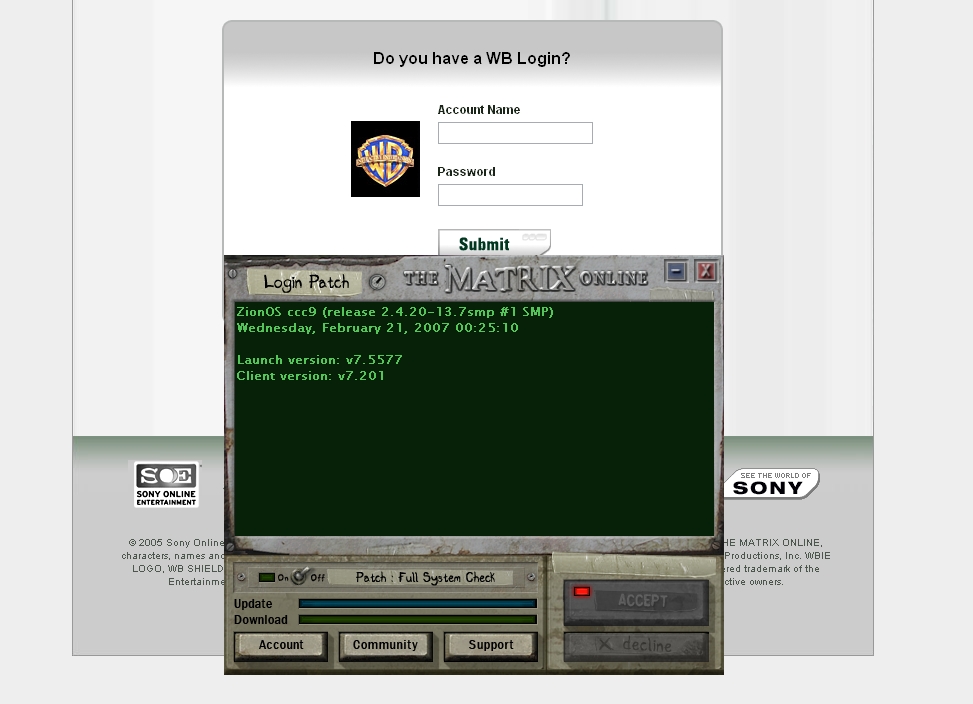
Dumb question but I missed that part about the pop up earlier, you did convert from WB to SOE when we got the game?
Hello Tiango
Are you getting that pop up before or after entering your station name and password, or do you even get prompted to enter them?
Sorry I've taken so long to get back to this thread. My laptop was stolen and I lost the email that was sent to me.
Try this:
Delete the shortcut and make a new one to point to launcher.exe in your MxO directory. I think the current one is set to open the pop up and that's stopping the log in working properly. Also check your options.cfg and useropts.cfg files (open them in Notepad) and remove any lines that have URLs in them (http://....)