Now I thing ive seen a lot of is people using in game shots and I think the more ppl make them look realistic, the more impressive they get. Now this has no bearing on ppl like Pyraci  , but for a lot of you I hope it proves useful.
, but for a lot of you I hope it proves useful.Step 1
Key to any picture is the base picture we are working with, it has to have "elements" in order to make it look more realstic, i.e buildings/trees, street lights, etc etc.
Key to any picture is the base picture we are working with, it has to have "elements" in order to make it look more realstic, i.e buildings/trees, street lights, etc etc.
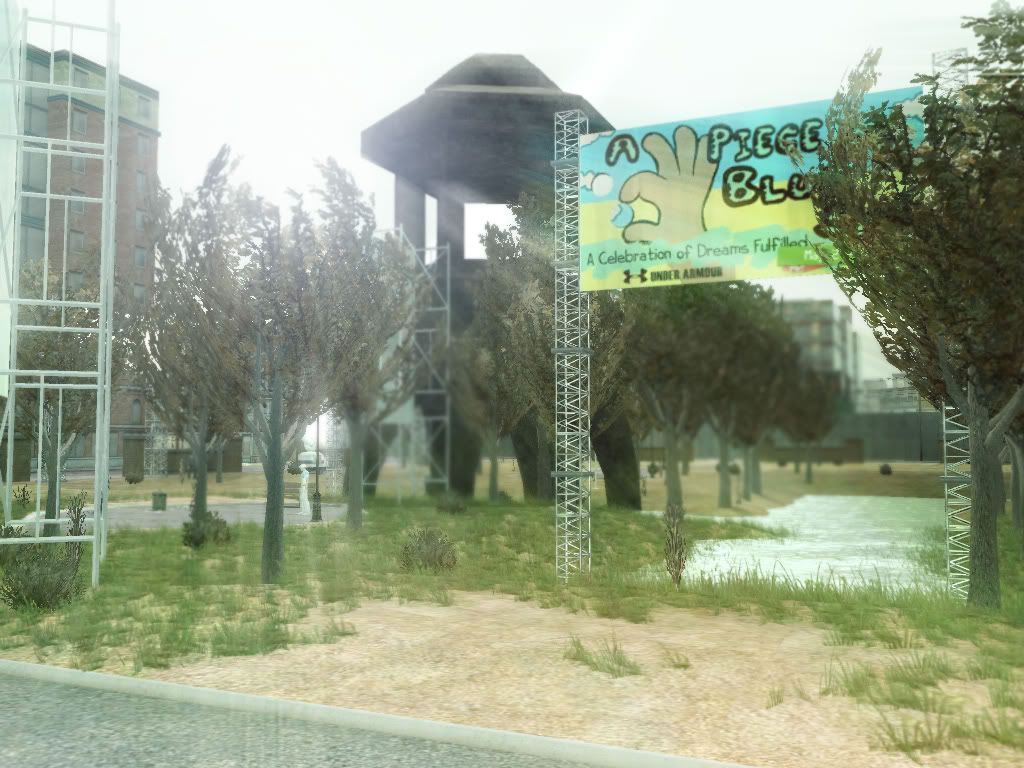
So my first step is to take a shot that has the elements to look real, so for this tutorial i went to Murasaki and took some of the monument there.
This is our base image to work with for this tutorial.
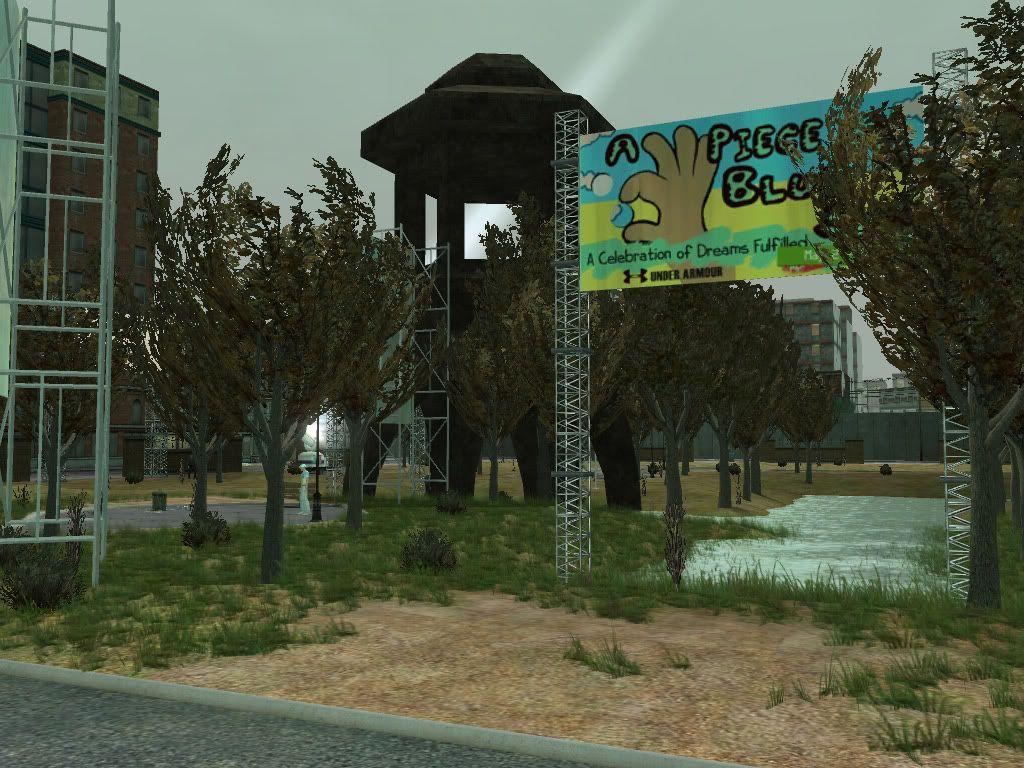
Now if you see what I mean, it looks "almost" real but not quite right.
Step 2
We can see it needs to be brighter to start with, so do the following
Layer > New Adjustment layer > Brightness/Contrast
Apply the settings as Brightness:37 and Contrast: 18
Those apply for this picture, but with others you will need to just feel when its just right.
Those apply for this picture, but with others you will need to just feel when its just right.
Now you should have 2 layers and a picture that looks like this.
Step 3
Now the picture is bright, but its still too "game" color, so we need to tone that down.
What you do now is duplicate the base layer, move it as the top most layer, and use Image > Adjusstments > Desaturate
What you do now is duplicate the base layer, move it as the top most layer, and use Image > Adjusstments > Desaturate
You should have this now showing as the top most layer.
Step 4
Now on this picture you apply layer blending (Right click on that layer in they layers windows, select Blending Options)
Apply Screen at 60%

You should now have this image.
Step 5
We now need to add sunlight to the sky with some haze, since tihs always add a more realism effect. We will now use the lens flare.
However we need to make a new layer which combines all those current layers, so I use the following shortcuts
Ctrl A - Select all Layers (Select > All)
Shift - Ctrl - C :Copy all Layers (Edit > Copy Merged)
Ctrl - V : Paste the new layer (Edit > Paste)
Now use Filter > Render > Lens Flare, I use 105mm prime at 132%, you can also see I placed it more to the top left side.
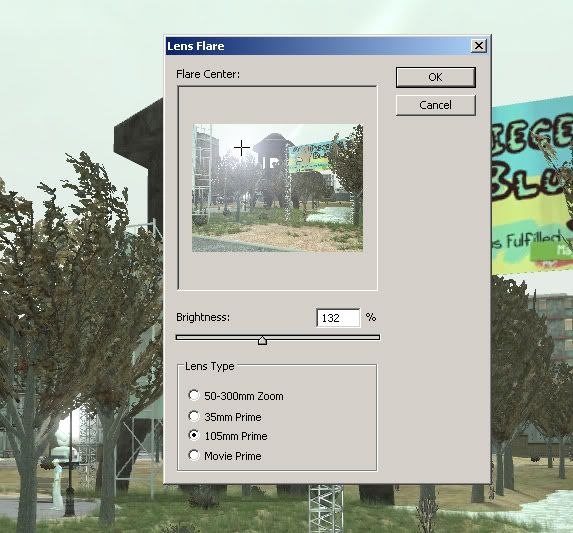
So now we have this image.
Step 6
Now on this top layer that has the Lens Flare applied to it we will add a Radial Blur effect.
Filters > Blur > Radial Blur
Use these settings.
Use these settings.
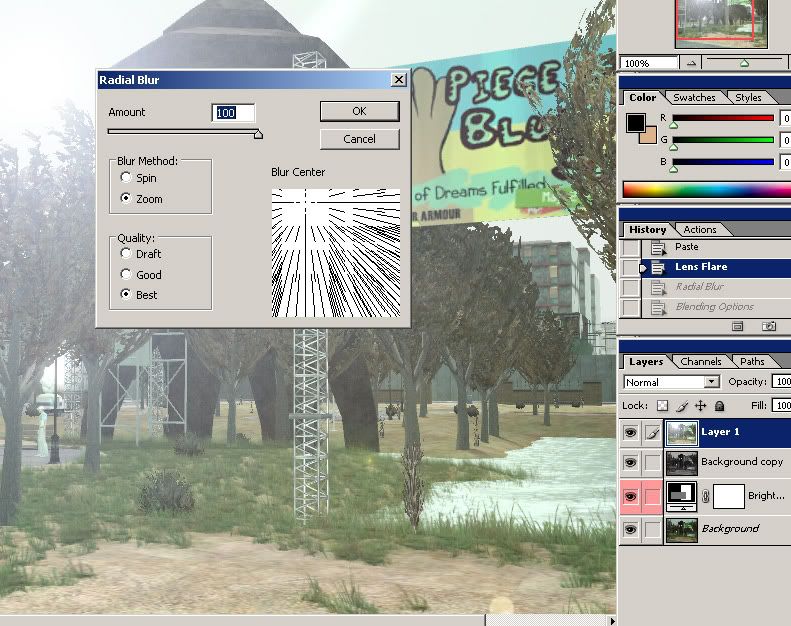
You can see from the image, I had the zoom blur going from the same place as where the Lens Flare was done.
So now you should have this image on your PS as the top most layer.
Step 7
Now on this blurred layer we use blending options on it.
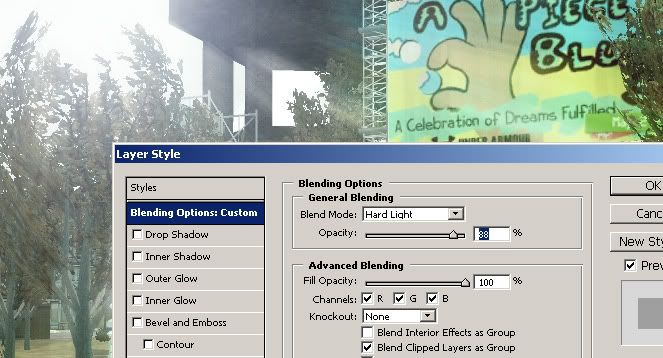
As you can see I used Hard Light at 88%.
Step 8
Now to finish off I use the select all layers and copy again...
Ctrl A - Select all Layers (Select > All)
Shift - Ctrl - C :Copy all Layers (Edit > Copy Merged)
Ctrl - V : Paste the new layer (Edit > Paste)
Make sure its the top most layer, then apply a little gaussion blur
Filters > Blur > Gaussion Blur
Filters > Blur > Gaussion Blur
Then simply using a soft delete bursh, delete away images that are closer to the foreground, leaving the back images slightly blurred.
We now have our completed image.