RAIN Tutorial

15 posts · 2006-04-16 13:08:09 to 2006-04-16 13:56:40

#11400021081 04/16/2006 13:08:09 RAIN Tutorial
Here's my tutorial on how to make rain. It's all about the *rain dance* i tell ya. :smileywink::smileyvery-happy::smileyvery-happy:


Let's use this Club Succubus as our background layer.
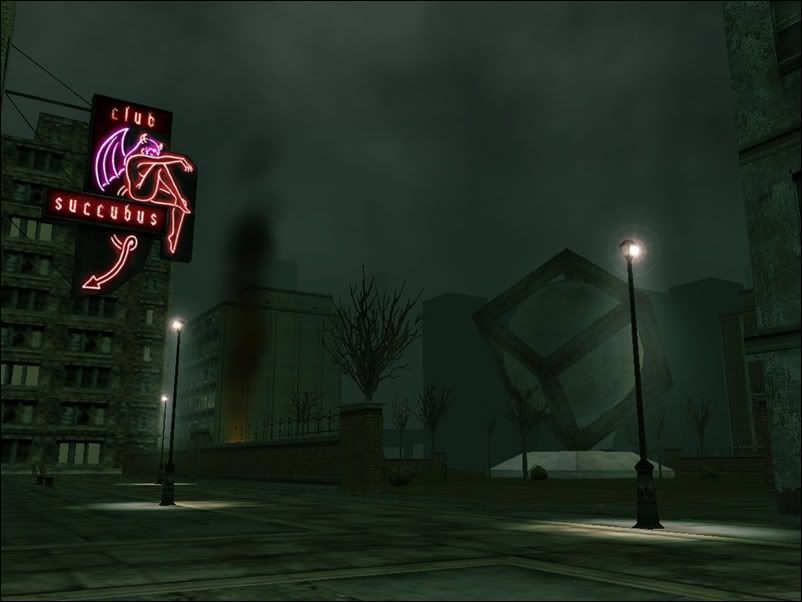


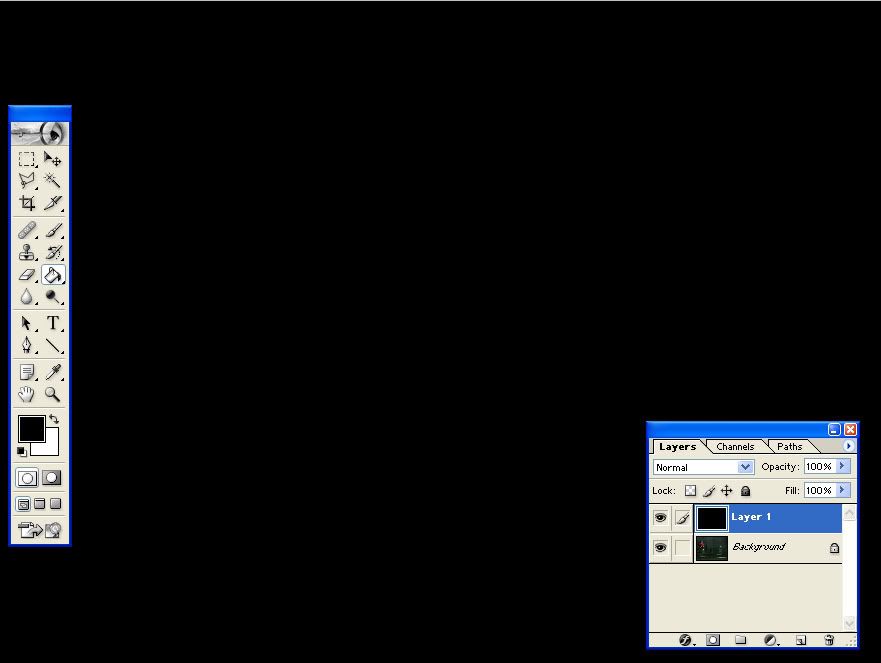
1. Create a new layer. Select Black as you foreground color and white as background color. Use the Paint Bucket tool and paint the new layer black.


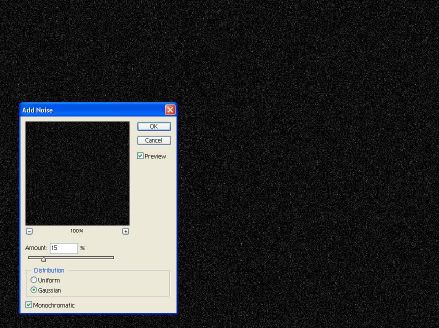
2. Select Filter/Noise/Add Noise. Amount at 15%. Distribution is Gaussian and check Monochromatic.


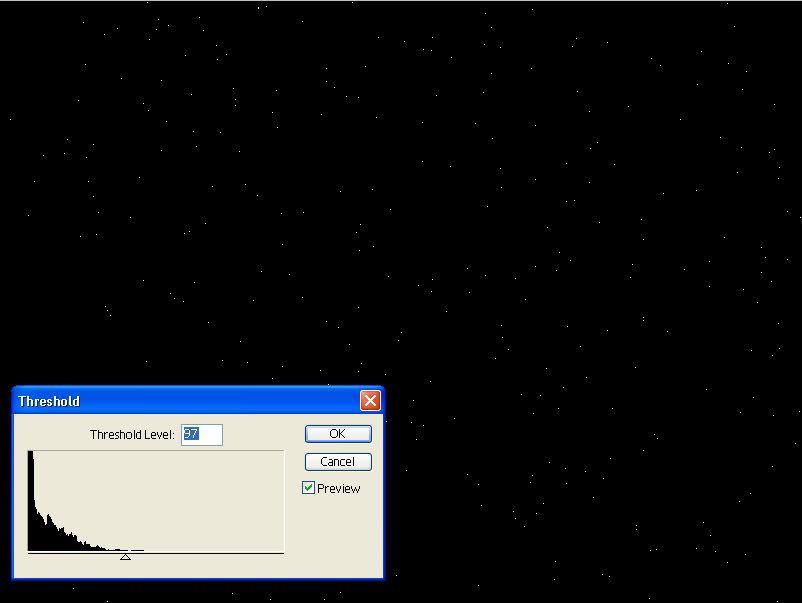
3. Choose Filter/Blur/Gaussian Blur. Radius at 0.5 pixels. Select Image/Adjustment/Threshold. Move slider slightly to the left until few white dots pops up. The more the dots, the heavier the rain will look but don't put too many dots though.


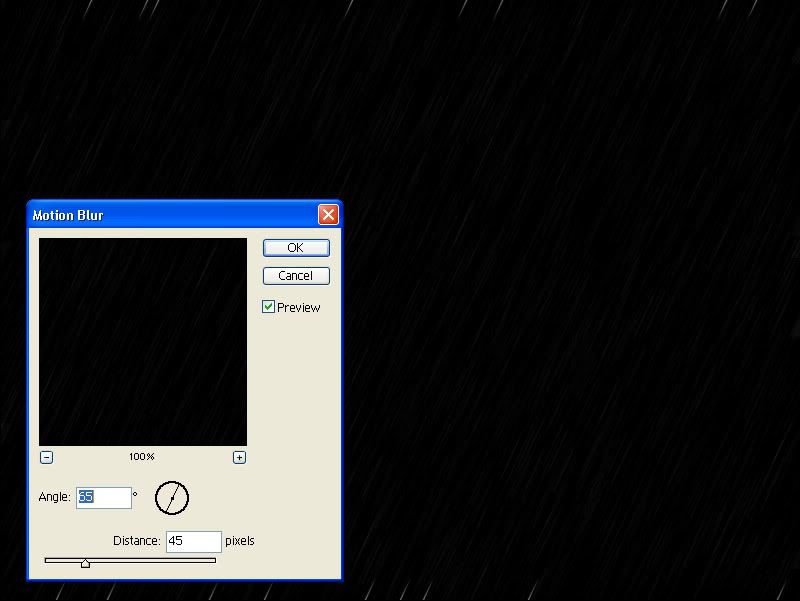
4. Select Filter/Blur/Motion Blur. Angle at 65 degrees. Distance at 45 pixels.


5. Lower Opacity at 50%. Bam! you got rain. now name that layer "Rain".
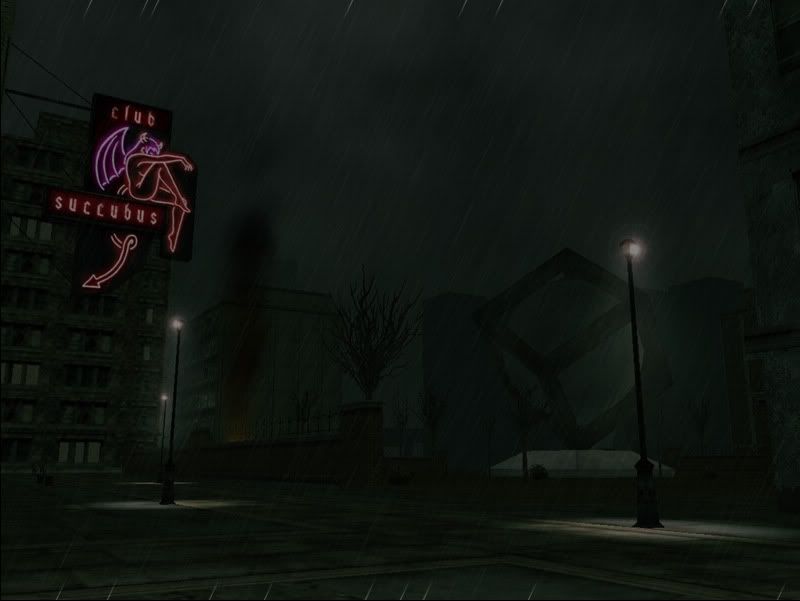


6. Hide the Rain layer and let's make the puddles. Create a new layer on top of the background layer. Select a Lasso Tool and draw small puddles on the ground. For realism, the farther it gets, the flatter the puddles should be.
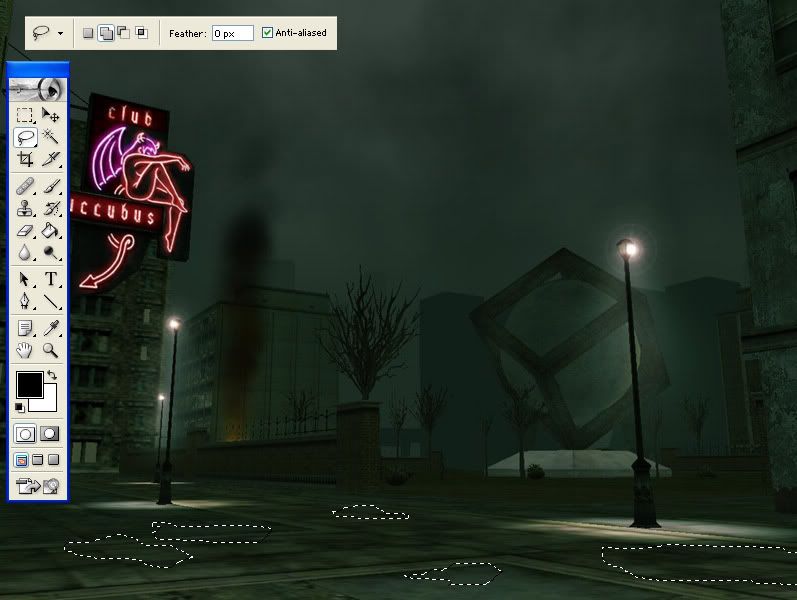


7. Select on the eyedropper tool and pick a color that you can easily see. You'll be hiding or deleting this layer in the end. Press "ok."
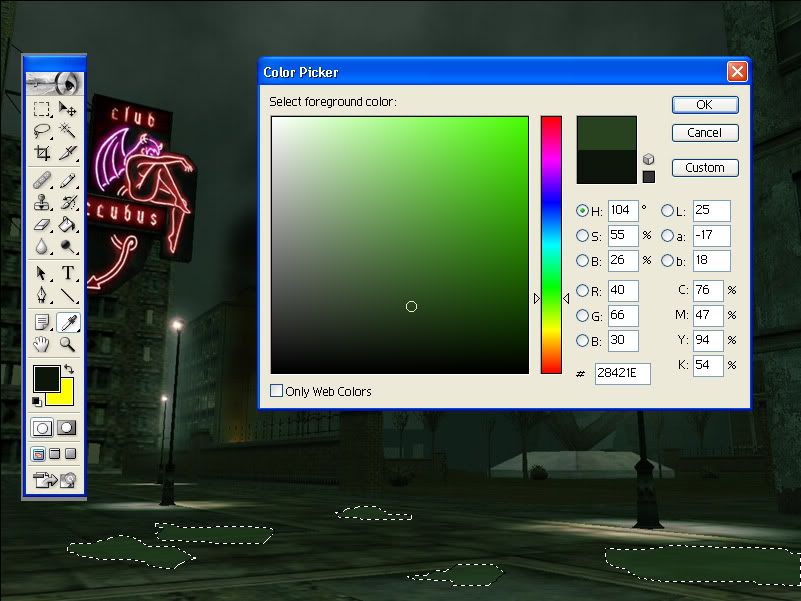


8. Select the Paint Bucket tool and click on the marqueed puddles to fill them in with color.
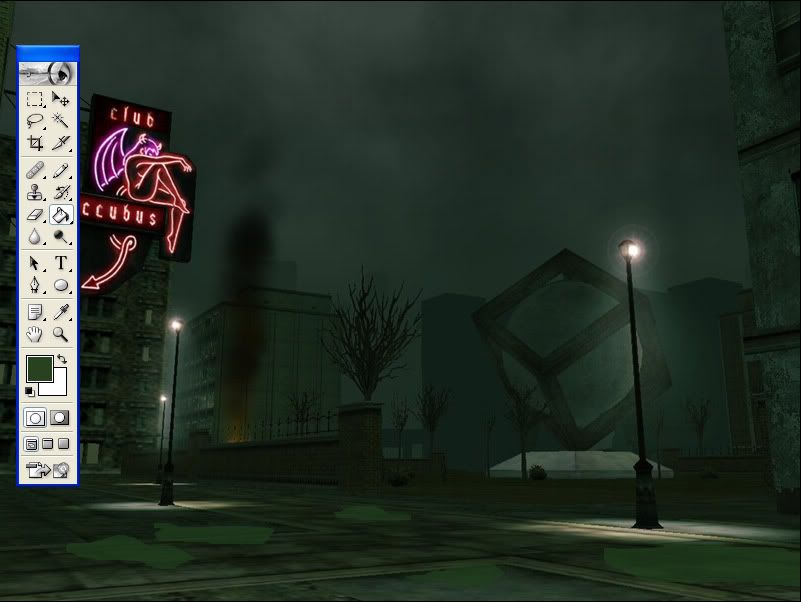


9. Now that we have the basic shape and color of our puddles, let's make it more real by putting reflections on them. Create a new layer and put it on top of the Puddles layer. Name this Reflection layer. Select our background layer and create a rectangular marquee (slightly larger than the puddles) to the base of any free standing objects (lamppost/bldgs/wall/RSI).
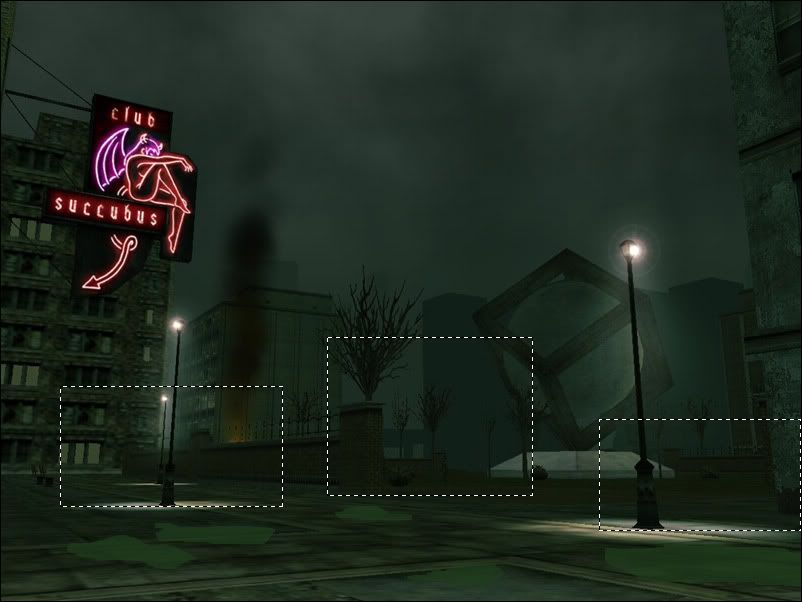


10. Copy and paste to the new layer. Hide the background layer to see the selections. Use the rectangular marquee tool and select one of the boxed imagery. Click Edit/Transform/Flip Vertical. (flip)
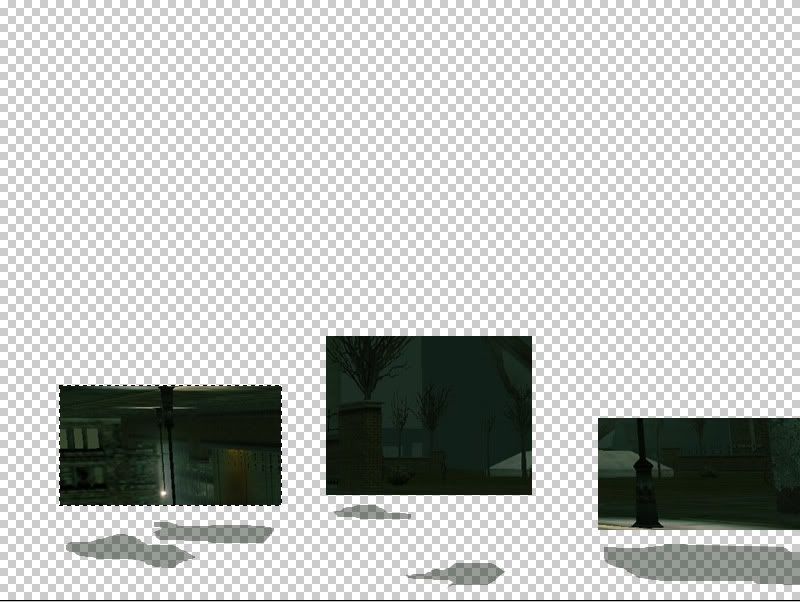


11. Drag a guide to the bottom of the selected image. Press the SHIFT key while moving down the image until it hits the top part of the image to the guide. Do the same to the other boxed images. (boxed move)
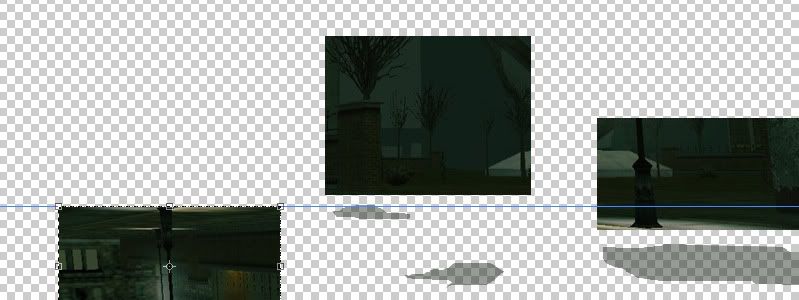


12. Press CTRL and select the Puddles layer. This will create a

marquee around that layer. Select the Reflection layer and Click on

Select/Inverse. Use a big eraser tool and erase everything that's

not going to be part of the puddle. (erase)
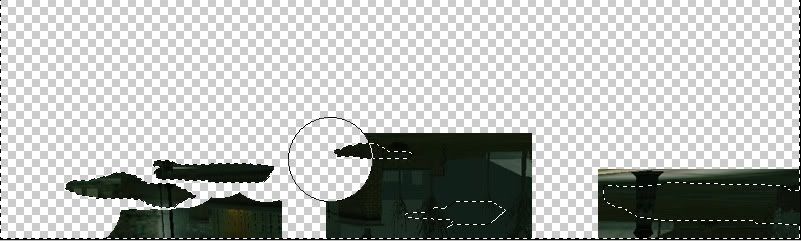


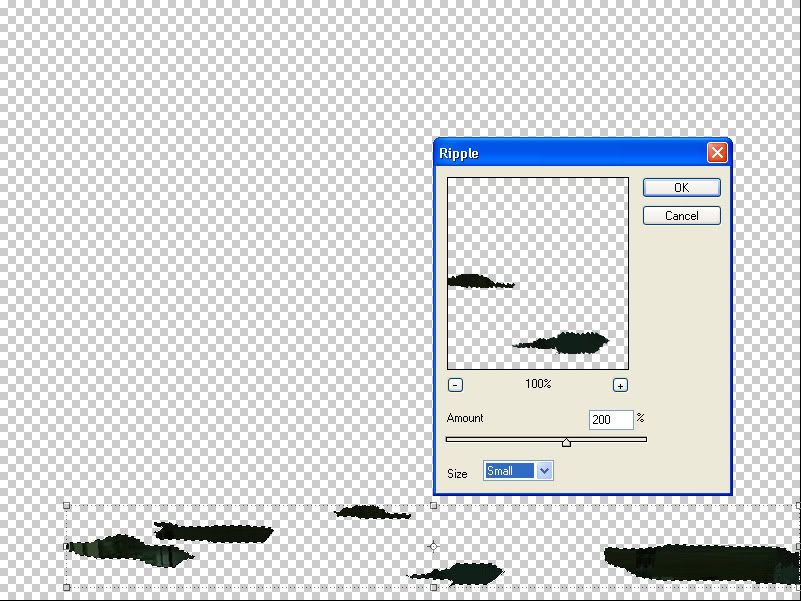
13. Click on Select/Inverse once again to select the puddles.

Select Filter/Distort/Ripple. Amount at 200% and Size is Small.

(ripple)


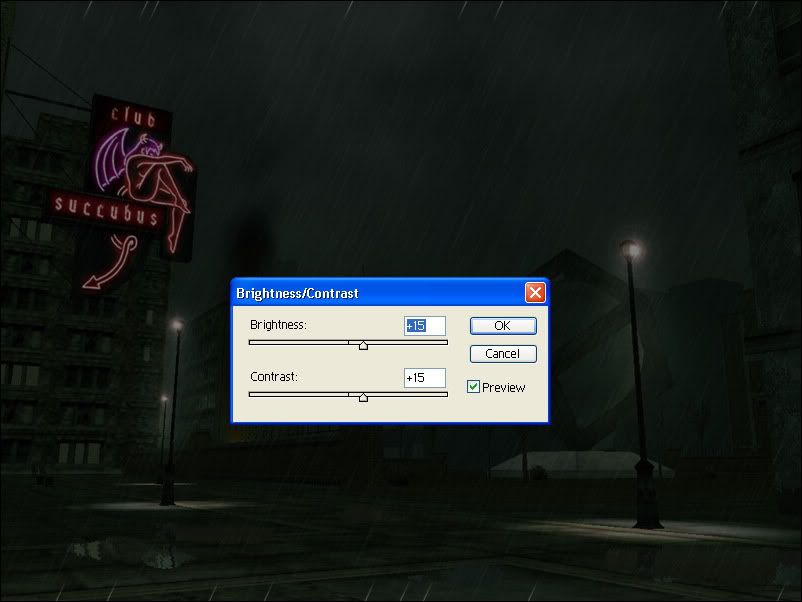
14. Last thing to do is brighten up the puddle a bit. Click on

Image/Adjustments/ Brightness/Contrast. Brightness at +15. Contrast

at +15 as well. Hide you puddle layer then you're done.


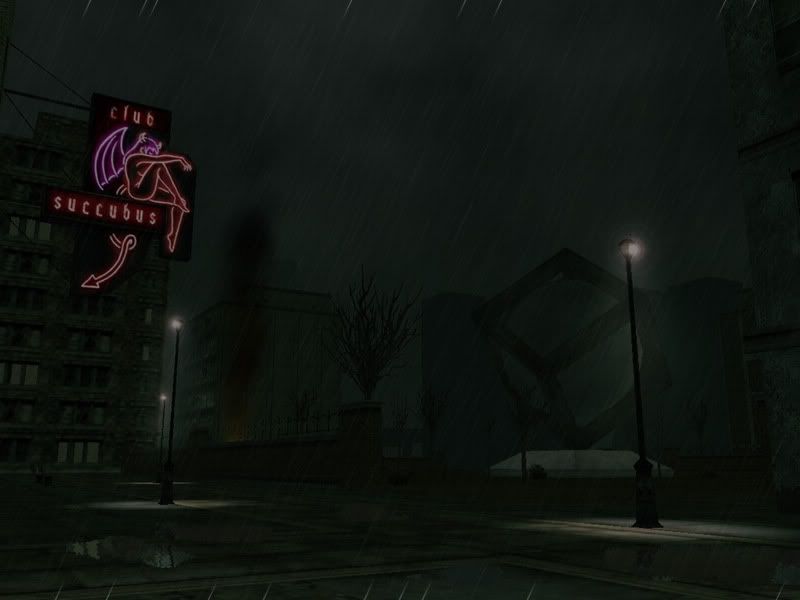
15. Here's the final project. Hope you all like it as much as i did. Next project i'll add lightning to this one.


#11400021084 04/16/2006 13:10:14 Re: RAIN Tutorial
WOW THAT WAS THE BEST TUTORIAL I HAVE SEEN IN AGES!!!


I have honestly been waiting for that tutorial to come out and i am not dissapointed!


WELL DONE! :smileyhappy:


#11400021088 04/16/2006 13:14:14 Re: RAIN Tutorial
Must...try...out...too..ti..tired :smileyindifferent:

Excellent tutorial Mr RSI Idealist (in waiting) :smileytongue: I must have a go at this when I'm fully awake and have full control over the computer (Younger siblings :smileymad: )

Keep 'em coming Mantra!

- Ð
#11400021095 04/16/2006 13:17:02 Re: RAIN Tutorial


Degu5000 wrote:
WOW THAT WAS THE BEST TUTORIAL I HAVE SEEN IN AGES!!!


I have honestly been waiting for that tutorial to come out and i am not dissapointed!


WELL DONE! :smileyhappy:


This tutorial delivers! I'm gonna play with this one myself. :smileywink:

#11400021097 04/16/2006 13:18:02 Re: RAIN Tutorial

wow. that's pretty awesome. i was gonna look for a rain tutorial tonight too!


thanx. :smileyhappy:

#11400021098 04/16/2006 13:20:54 Re: RAIN Tutorial
Woot Now I know how to do th rain thing. I love you, will you marrie me and have my babies? :smileyvery-happy:
#11400021100 04/16/2006 13:22:55 Re: RAIN Tutorial


Fondo wrote:

Woot Now I know how to do th rain thing. I love you, will you marrie me and have my babies? :smileyvery-happy:


Aren't you both guys?? I err..huh...my brain hurts :smileyindifferent: I kid I have nothing against homogender relationships :smileywink:


- Ð

#11400021101 04/16/2006 13:24:00 Re: RAIN Tutorial


Fondo wrote:

Woot Now I know how to do th rain thing. I love you, will you marrie me and have my babies? :smileyvery-happy:


LMAOROTF
Uhm... Unless you're a Woman... shure...:smileyvery-happy::smileyvery-happy::smileyvery-happy:


More LMAOROTF!!!


#11400021102 04/16/2006 13:24:47 Re: RAIN Tutorial

WOW!!!


**bleep**... now I have to try this...


#11400021103 04/16/2006 13:27:14 Re: RAIN Tutorial
I had no idea about that Noise filter... That's going to make things
way easier. The puddles are a mystery to me, however, heh. I'll try and
find some simpler method for myself.

#11400021104 04/16/2006 13:43:46 Re: RAIN Tutorial
Oh that's very impressive....very impressive indeed.

#11400021105 04/16/2006 13:46:11 Re: RAIN Tutorial


Sykin wrote:
I had no idea about that Noise filter... That's going to make things way easier. The puddles are a mystery to me, however, heh. I'll try and find some simpler method for myself.


There not puddle's, it's the rain marks on the camera, you know when your in a car and it rain's down the windows? Like that! kinda :smileywink:    (bad example hehe )


Gorgeous tutorial, will definately be very helpfull in the future


spha x

#11400021106 04/16/2006 13:47:46 Re: RAIN Tutorial

Oooo very nice!  I just did it with one of my images and the rain turned out great, but the puddles....not so much.


Apparently they need to be strategically placed and that didn't happen with mine.  They came out to brite and didn't fit in with the picture.


But the rain...OMG!

#11400021107 04/16/2006 13:52:04 Re: RAIN Tutorial

my photoshop isnt like yours at all SMILEY wht r u using?


im using Corel PHOTO-PAINT 12 Software and i cant get that to work AT ALL. SMILEY

#11400021109 04/16/2006 13:56:40 Re: RAIN Tutorial


Gman2200 wrote:


my photoshop isnt like yours at all SMILEY wht r u using?


im using Corel PHOTO-PAINT 12 Software and i cant get that to work AT ALL. SMILEY


I'm pretty sure he's using Adobe Photoshop.  What version, idk.