This is another useropts.cfg parameter. See this post for more details on the useropts.cfg file, if you don't know what that is.
This setting is not supported! Use at your own risk.
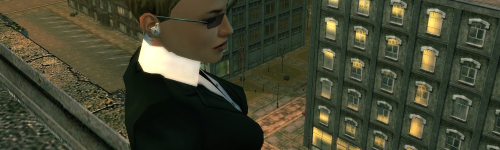
A long long time ago, someone asked me in the Ask the Devs thread if there was a way to turn off the light around the character at night, so that you could get screenshots in nice dark darkness. I didn't know how to do that at the time, but eventually I found out that it can be done with certain useropts settings that control that light around your character at night.
PlayerFX_LightPool_Proj_Angle = 1.8
PlayerFX_LightPool_Radius = 5
PlayerFX_LightPool_Bright_Scale = 0.915
If you set
PlayerFX_LightPool_Bright_Scale = 0
then the light will be gone. The other parameters tweak the size of the illuminated area, more or less.
This setting is not supported! Use at your own risk.
A long long time ago, someone asked me in the Ask the Devs thread if there was a way to turn off the light around the character at night, so that you could get screenshots in nice dark darkness. I didn't know how to do that at the time, but eventually I found out that it can be done with certain useropts settings that control that light around your character at night.
PlayerFX_LightPool_Proj_Angle = 1.8
PlayerFX_LightPool_Radius = 5
PlayerFX_LightPool_Bright_Scale = 0.915
If you set
PlayerFX_LightPool_Bright_Scale = 0
then the light will be gone. The other parameters tweak the size of the illuminated area, more or less.